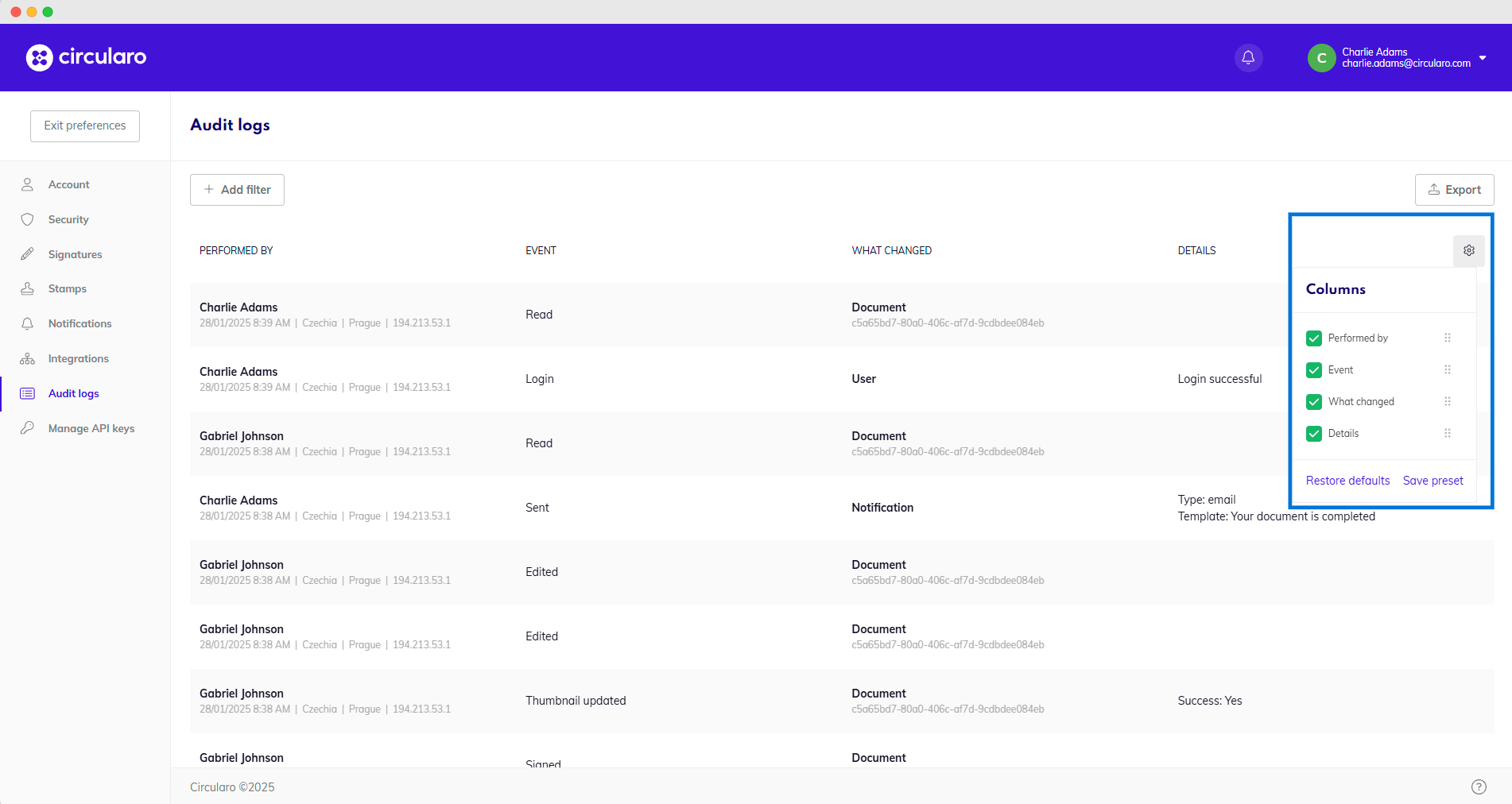
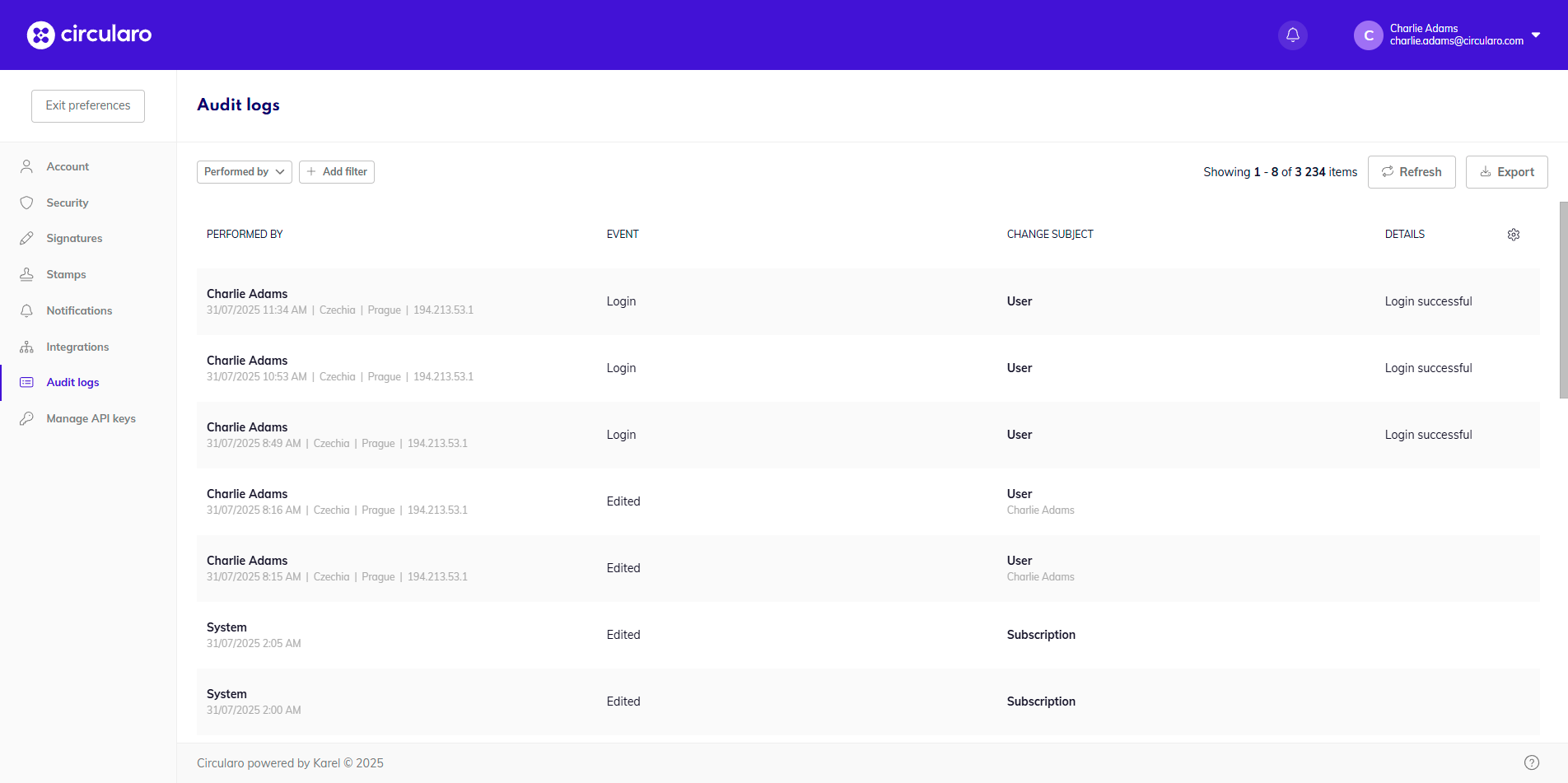
Each user can access the audit logs of their account in their Preferences. Audit logs show every single action that happens in the account, including each login attempt, changes to settings or work on documents. Things such as sharing a document, when a document has been seen, signed, rejected, or when a new template has been created or used are all recorded.
Exporting audit logs
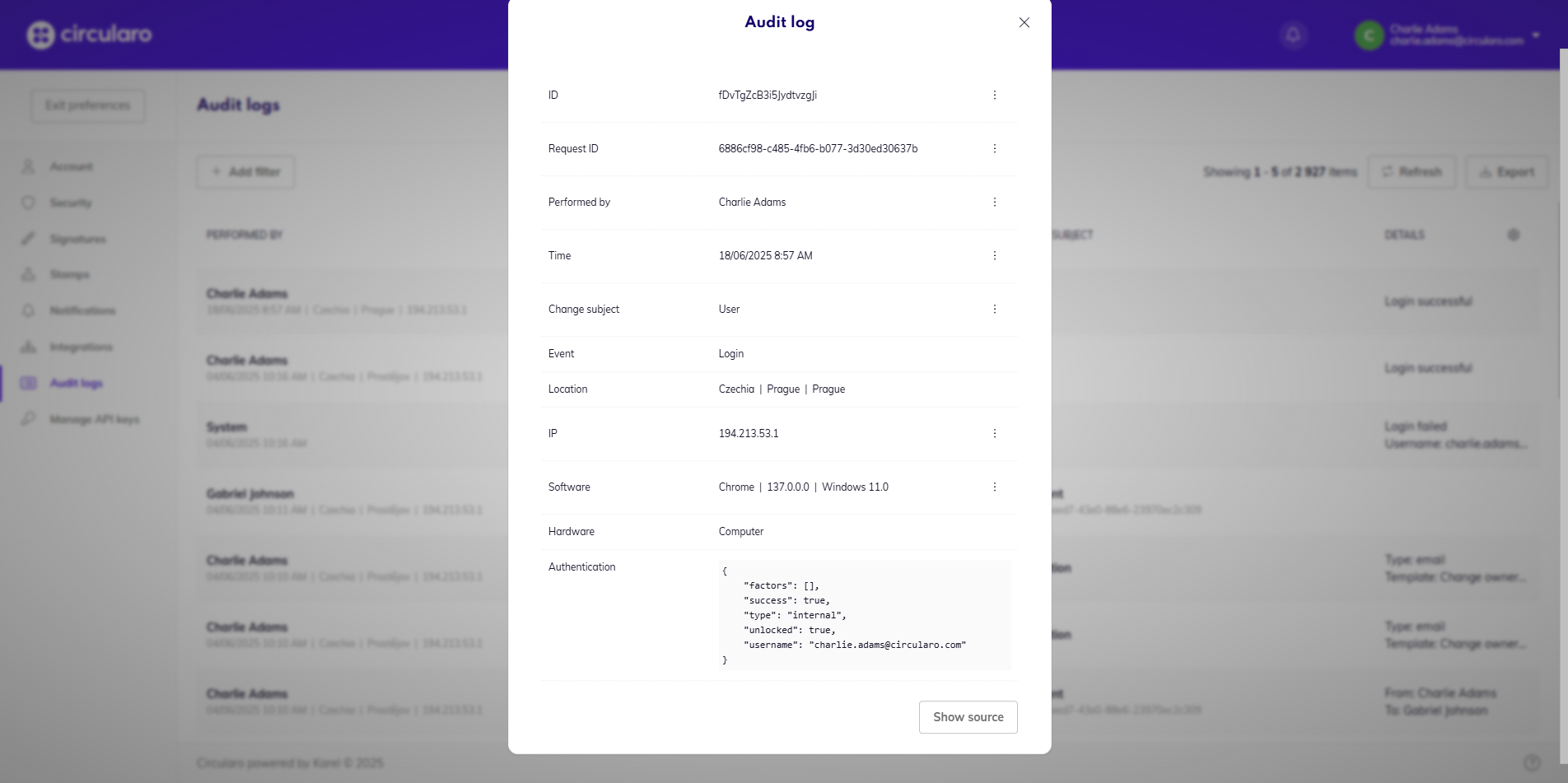
Above the settings icon for adjusting table columns is a button to Export the audit logs. They are exported in a CVS format and contain all related information about each audit log.
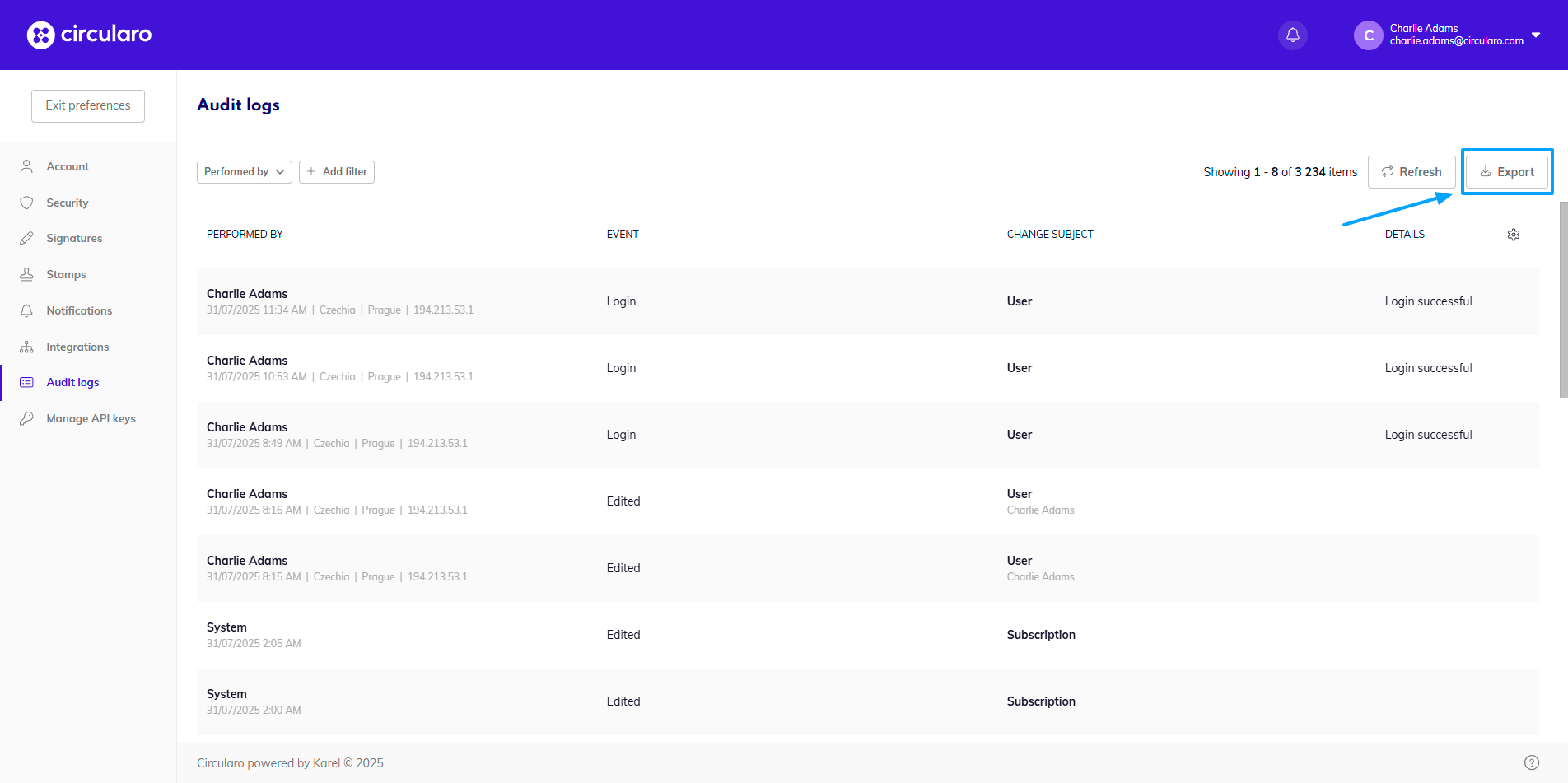
The export will contain a maximum of 10 000 lines of the most recent logs.
Audit log filters
When you are looking for specific types of audit logs, or specific information, you have the option of filtering the logs. As there is quite a lot of information recorded in the logs, there are also many ways of filtering the information. Several filters can also be applied at the same time to further specify your requirements.
When you open a specific audit log detail, by clicking on the three dots at the end of the line of each detail, you can choose a specific log detail that you either wish to include or exclude in a filtered search.
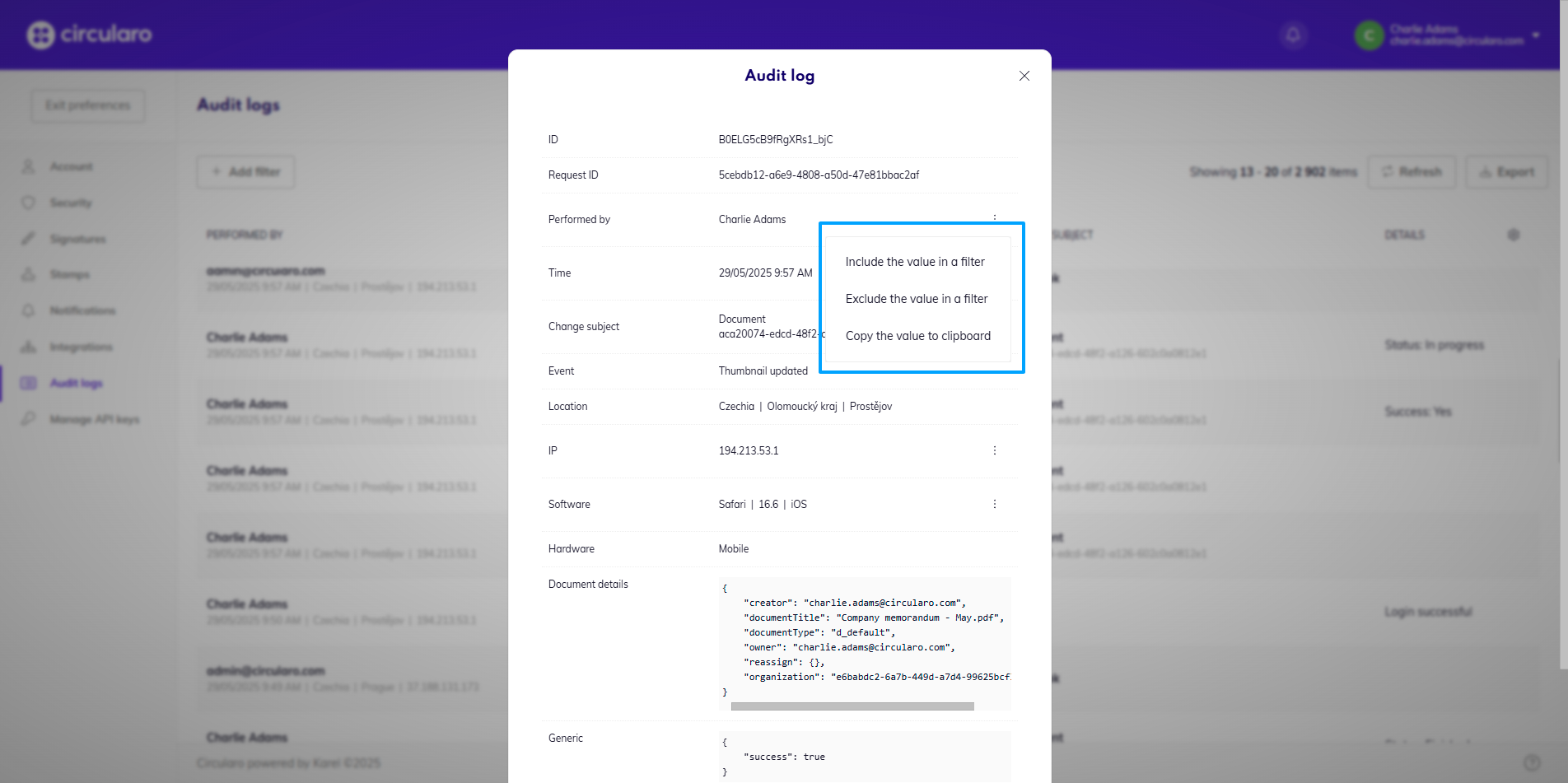
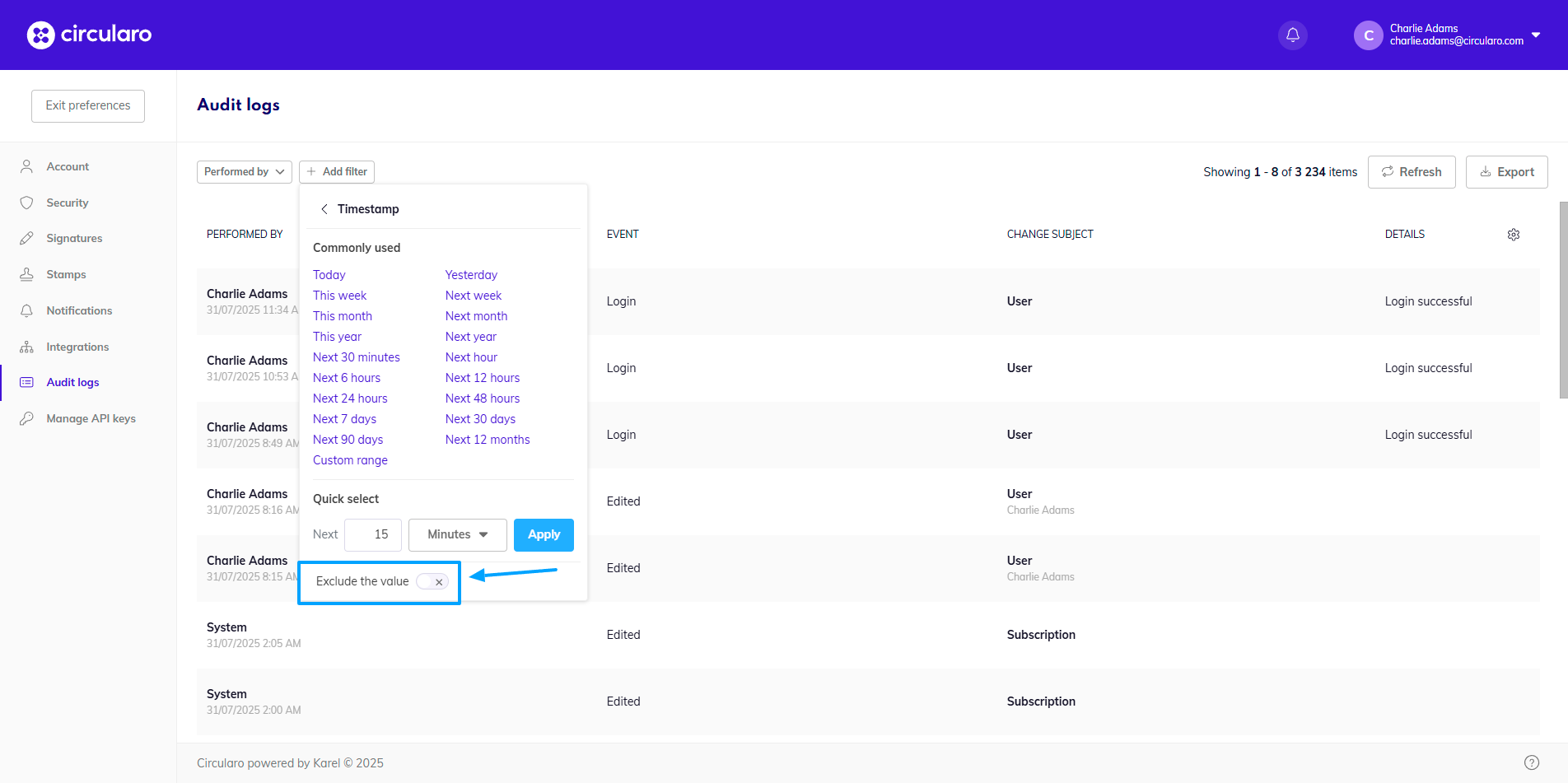
With each filter added, you can also switch the toggle to exclude any given value, instead of including it in the search.
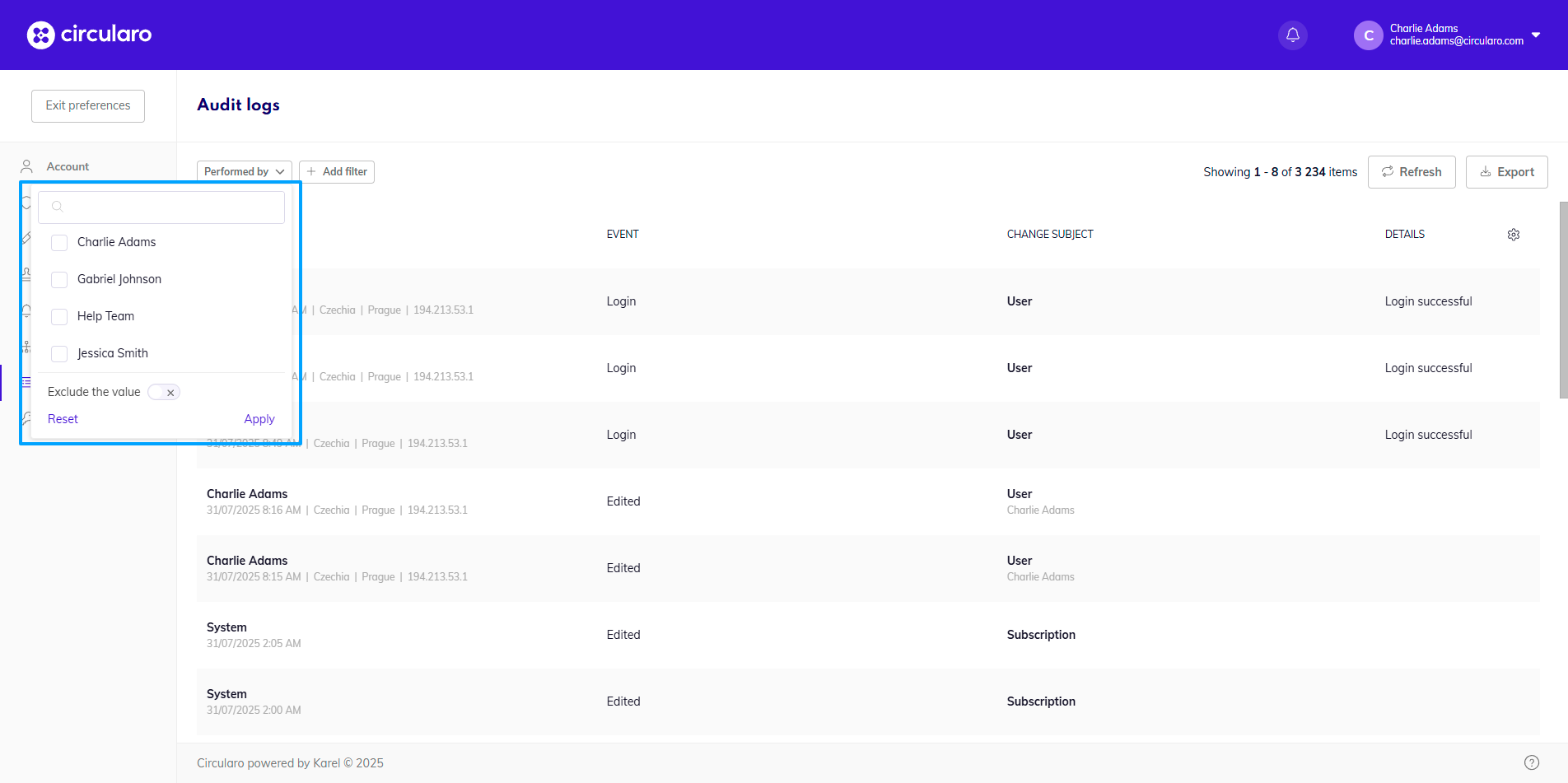
A default filter you can add is Performed by, where you input a specific user and you will be shown all actions performed by that user (only with internal users).
Below is a table detailing all other filters available, what information can be input, and what information the filters target.
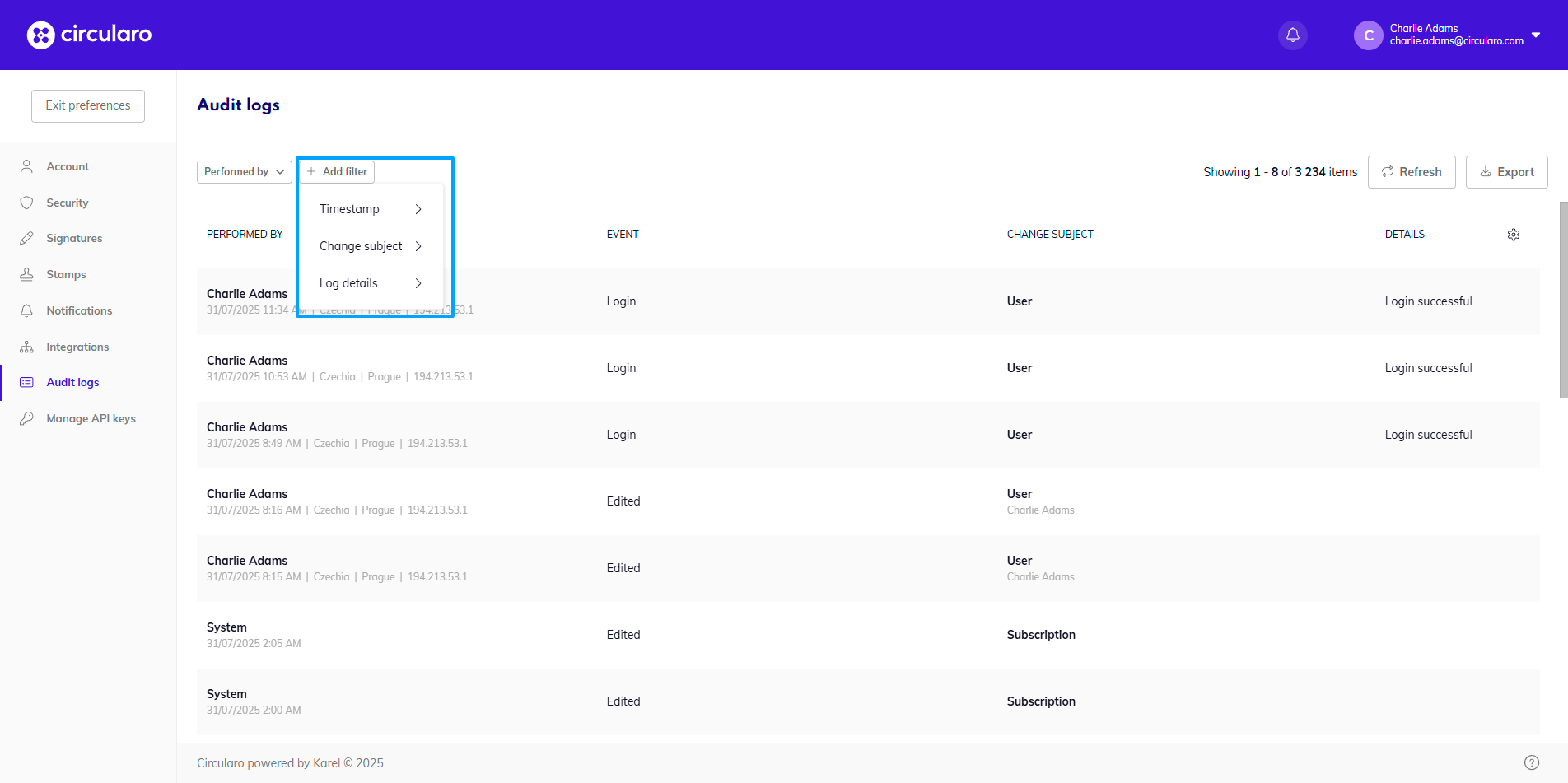
Some filters are only available for organization admins as the information they filter is related to administration.
|
Level 1 Filter |
Level 2 Filter |
Level 3 Filter |
Additional information to input |
Filter description |
|---|---|---|---|---|
|
Timestamp |
x |
x |
Select date range |
Shows all audit logs which were recorded during the specified time range |
|
Change subject |
x |
x |
Dropwdown of all the types of subject of changes; subject value (the specific name, email address, etc.); event (dropdown of all available events for the specific subject type) |
Filters all audit logs that contain a change of the specified subject |
|
Log details |
Connection |
IP |
Specific IP address |
Shows logs with the selected IP address |
|
|
|
User agent |
Specific browser user agent string |
Actions taken in a browser using a specific user agent |
|
|
|
Browser |
Type of browser |
Actions taken in a specific browser |
|
|
|
Browser version |
Version of a browser |
Actions taken in a specific version of a browser |
|
|
|
Operating system |
Specific operating system |
Actions taken on a specific operating system |
|
|
|
Platform |
Overall device platform (Microsoft Windows, Linux, iPhone, Apple Mac) |
Actions taken on a device using the given platform |
|
|
|
Is mobile phone |
true x false |
Actions taken/not taken on a mobile phone |
|
|
|
Is tablet |
true x false |
Actions taken/not taken on a tablet |
|
|
|
Is desktop |
true x false |
Actions taken/not taken on a desktop |
|
|
|
Location - country |
Specific country |
Actions taken in a specific country (based on IP address) |
|
|
|
Location - region |
Specific region |
Actions taken in a specific region (based on IP address) |
|
|
|
Location - city |
Specific city |
Actions taken in a specific city (based on IP address) |
|
|
|
Location - Country code |
Specific country code |
Actions taken in a specific country code (based on IP address) |
|
|
Authentication |
Phone |
Phone number |
All authentication attempts using the given phone? |
|
|
|
Provider |
External provider name (UAEPass, Nafath, Microsoft) |
Authentication attempts made using the given provider |
|
|
|
|
Email address |
All authentication attempts using the given email? |
|
|
|
3rd party authenticator |
Dropdown - sms, email, totp |
Any authentication done by the specified autenticator |
|
|
|
Username and password |
Username and password |
Any authentication done by the specified username |
|
|
|
Successful login |
true x false |
All successful/unsuccessful login attempts |
|
|
|
Unlocked |
true x false |
All successful/unsuccessful 3rd party verification attempts |
|
|
User |
User status |
Dropdown: newly created, active, password change requested, suspended |
Selected changes made to members of an organization |
|
|
|
Password changed |
true x false |
changes made to password / changes made to preferences without change of password |
|
|
|
3rd party authenticator |
Dropdown: sms, email, totp |
All logs where the user changed their 3rd party authentication options to the given value |
|
|
|
Phone |
Phone number |
All logs where the user changed their phone number to the given value |
|
|
|
|
Email address |
All logs where the user changed their email to the given value |
|
|
|
Delegation changed |
true x false |
Log where delegation was changed/ logs where delegation was not changed |
|
|
|
Stamp changed |
true x false |
changes made to stamp/ changes to preferences without stamp change |
|
|
|
Signature changed |
true x false |
changes made to signature / changes to preferences without signature change |
|
|
|
Initials changed |
true x false |
changes made to initials / changes to preferences without initials change |
|
|
|
Recovery codes changed |
true x false |
changes to recovery codes / changes to preferences |
|
|
Rights (Admins only) |
Added users
|
Specific user/s |
Any addition of users containing the specified user/s |
|
|
|
Removed users |
Specific user/s |
Any removal of users containing the specified user/s |
|
|
|
Added groups |
Specific group/s |
Any addition of groups containing the specified group/s |
|
|
|
Added rights |
Specific right/s |
Any addition of rights containing the specific right/s |
|
|
|
Removed groups |
Specific group/s |
Any removal of groups containing the specific group/s |
|
|
|
Removed rights |
Specific right/s |
Any removal of rights containing the specific right/s |
|
|
Notification |
Type |
Dropdown: email, sms |
All notifications sent of the specific type |
|
|
|
Template |
Notification template |
All instances of sent notifications of the template |
|
|
|
Recipients |
Specific recipients |
All notifications sent to specified recipients |
|
|
|
Successful |
true x false |
All notifications successfully / unsuccessfully sent |
|
|
Subscription (Admins only) |
Assigned to type |
dropdown: user, group |
All events where subscription was assigned to a user/group |
|
|
Plan (Admins only) |
Edition |
Edition name |
All events where plan edition was changed |
|
|
|
Status |
Edition status |
All events where plan status was changed |
|
|
Settings |
Type |
Dropdown: tenant, group, organization, user |
All changes to a specified type of settings |
|
|
Document |
Created by |
Specific user |
All instances of documents created by the specified user/s |
|
|
|
Document title |
Precise title of document |
Logs pertaining to a document with that title |
|
|
|
Original title |
Precise original title of document |
Logs pertaining to a document with that title |
|
|
Generic |
Added keys |
Specific keys which changed in the subject object. |
Logs of an event which changed these precise keys.
|
|
|
|
Edited keys |
||
|
|
|
Deleted keys |
||
|
|
|
Modified keys |
||
|
|
Language |
Key |
Specific translation key |
Actions which changed a translation value with the given key |
Adjustable columns
There are four columns containing basic details about each audit log: Performed by, Event, What changed and Details. By clicking the settings icon in the top right corner right above the audit logs you can customize which columns are visible and their order.
More information about columns is on the page detailing document statuses.