
Document metadata preview and Controller

This feature is accessible only from the Transaction Detail Report, therefore it is conditional upon the purchase of the Advanced Reporting Add-on.
The Controller role allows access to the Pending transaction report, but not the report for All transactions.
This preview offers all information (metadata) associated with a specific document, with or without accessing the actual contents of the document - you can access the contents if you are the owner of the document or have View rights.
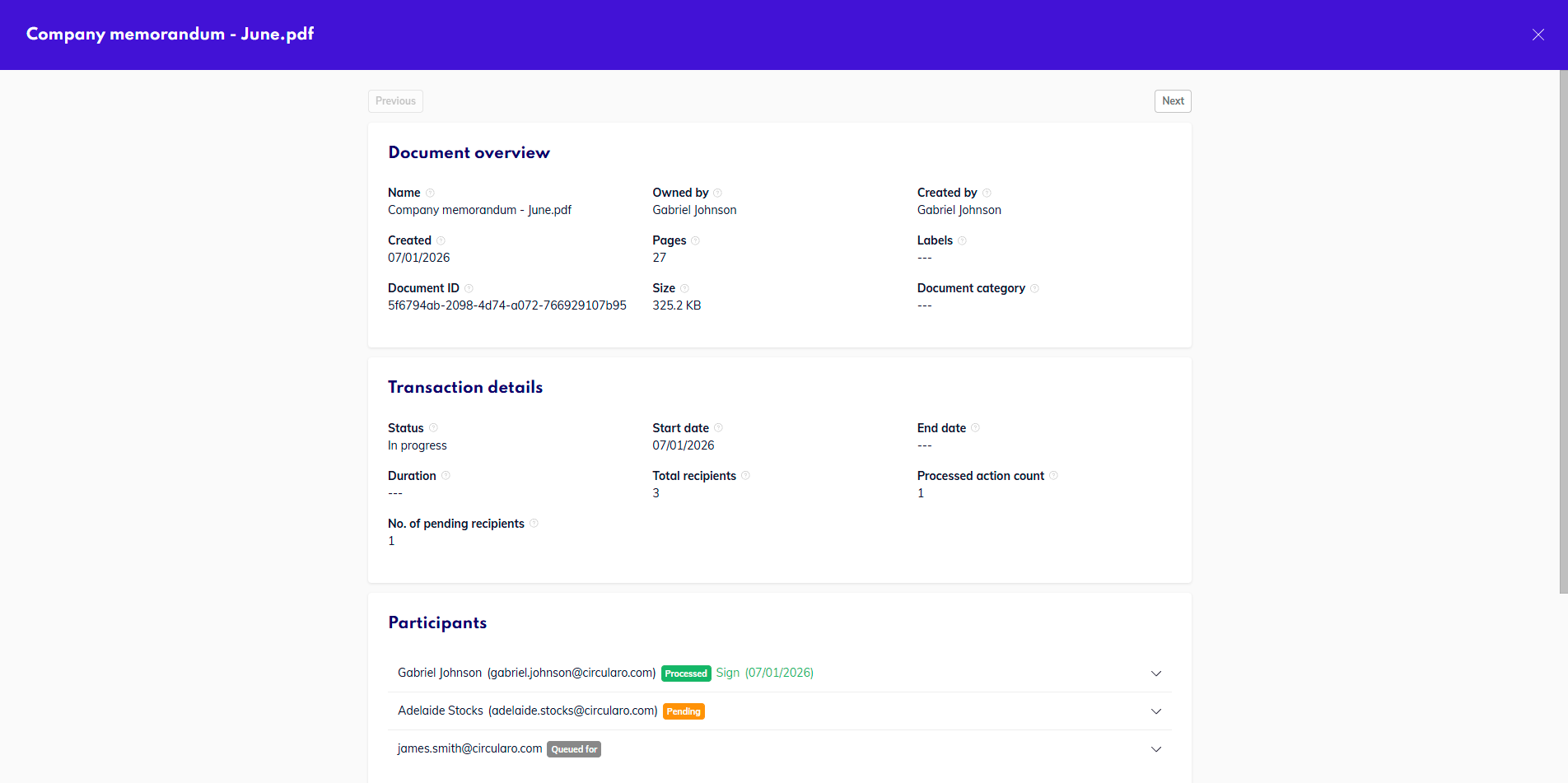
Document metadata preview
You can access the preview from either tab by clicking on a specific document row - you can click anywhere in the row.
In the top right corner can be two buttons, Change ownership and Show document preview. You will see the Change ownership button if you are the owner of the document, and the Show document preview button either as an owner of the document, or if the document was shared with you - for viewing or signing.
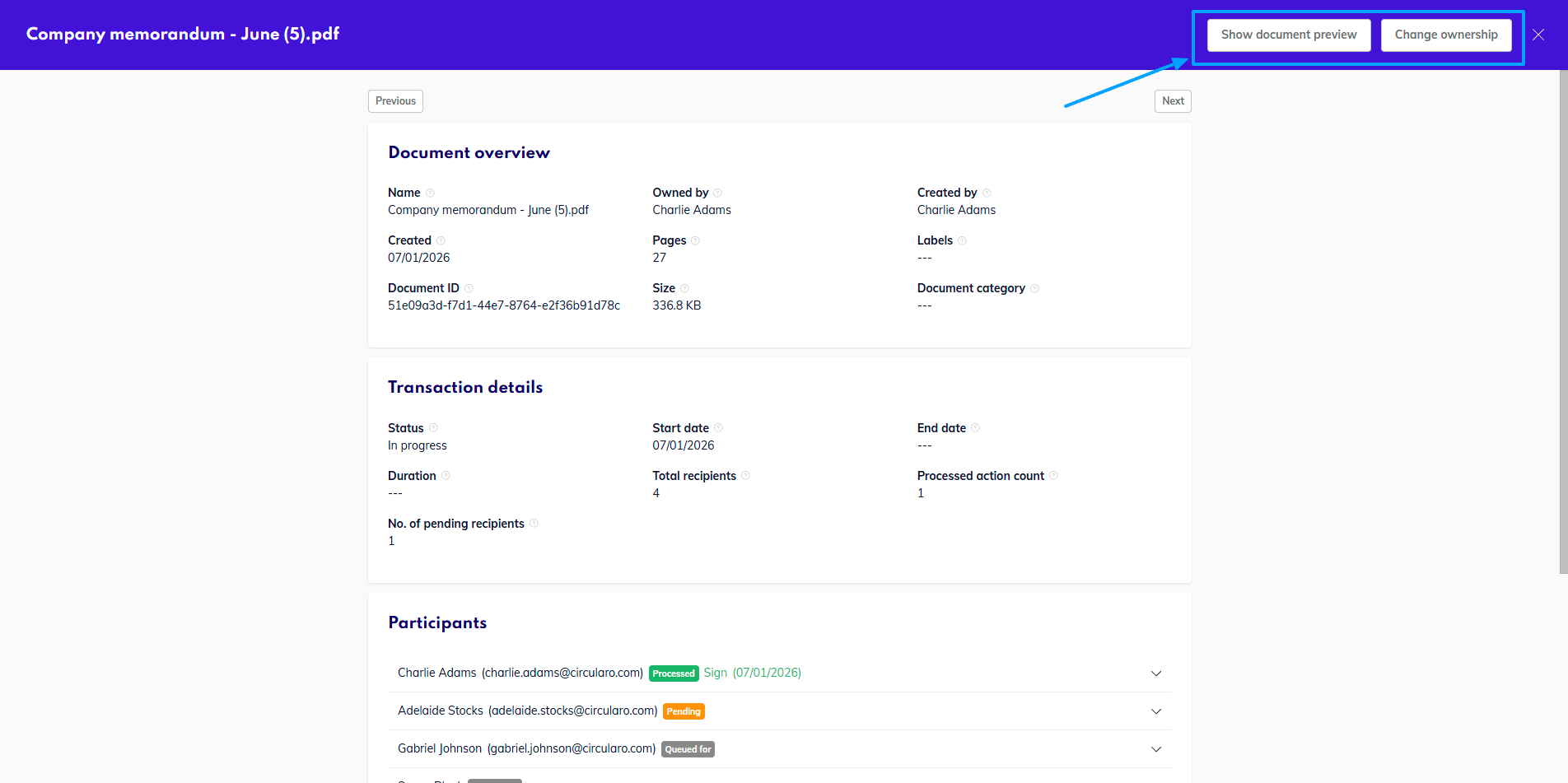
Buttons in metadata preview
Here we have prepared an overview of the information the preview contains.
Document overview
Name | Name of the document |
Owned by | User who owns the document |
Created by | User who created the document |
Created | Date of creation of the document |
Pages | Total number of pages of the document |
Labels | Any labels attached to the document |
Document ID | Unique ID of the document |
Size | Size of the file |
Document category | Category assigned to the document |
Transaction details
Status | Current status of the transaction |
Start date | Date when the request was initiated |
End date | Date when the transaction was completed (successfully or failed) |
Duration | Total duration of the transaction (in milliseconds) |
Total recipients | Number of recipients of the document |
Processed action count | How many action have already been processed |
No. of pending recipients | How many recipients have not completed their actions yet |
Participants
Each participant has their own section with details pertaining to their part of the signing process
Request ID | Unique ID of the signing request (not the same as Document ID) |
Position in sequence | Their number in the order (if sequential signing order is enabled) |
Seen | Yes/No has the recipient seen the document |
User | Name of the recipient |
Verification method | Which method of verification was used for the recipient (if any) |
Duration | Total time from receiving the request to processing their required action (in milliseconds) |
Is last action | Yes/No is this the last performed action to at the moment of viewing |
Action type | Sign/Approve/Accept/Review |
Rights | Which rights were added for the recipient (View metadata, Print, Delegate, Can annotate on reject) |
Self signed | Indicates whether the owner of the document signed the document. |
Date of action request | Date when the recipient received the request |
Date of action execution | Date when the required action was taken |
Request status | Waiting for, Waiting for turn, Processed |
Date of last reminder | Date when the last reminder was sent |
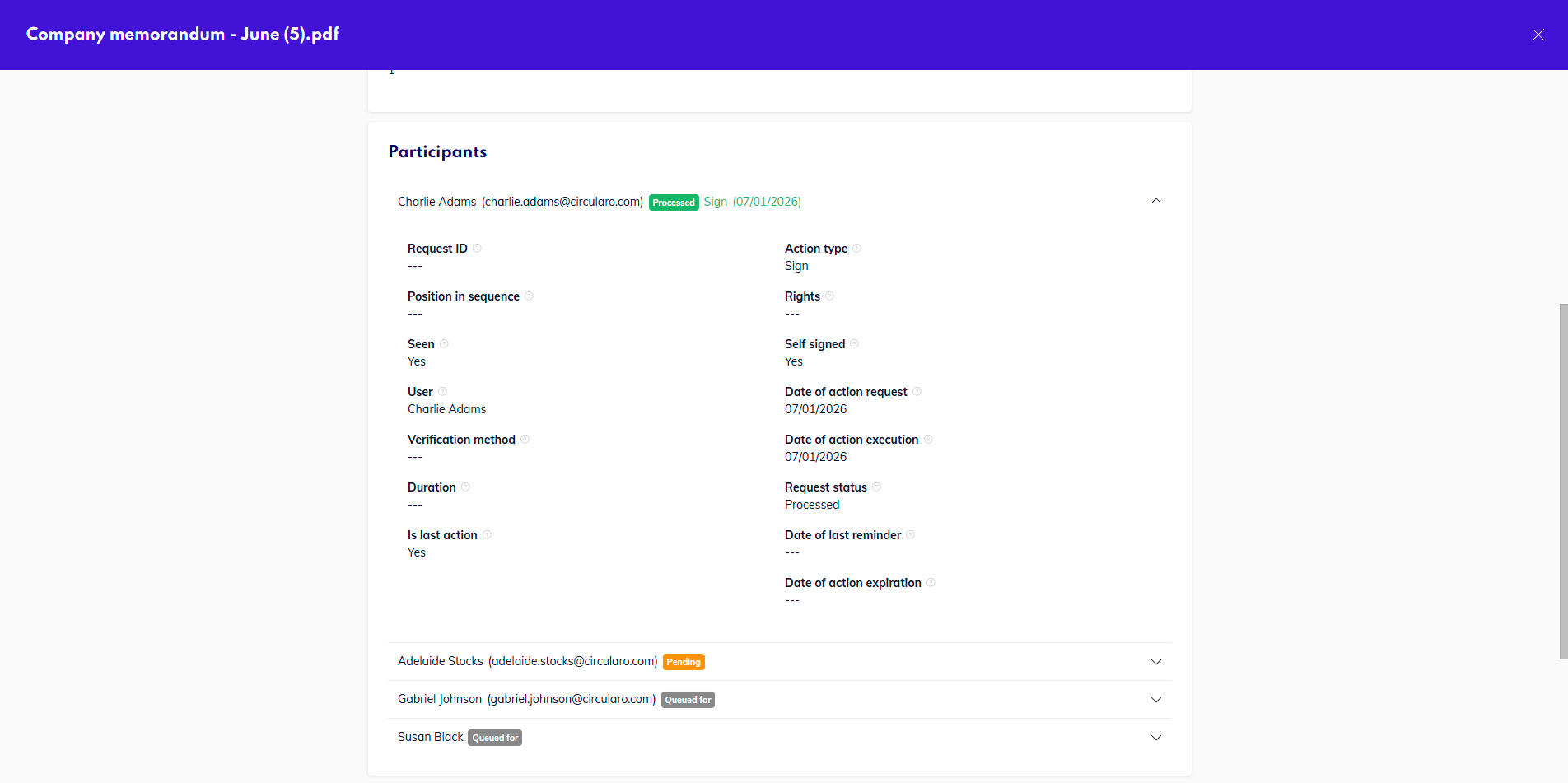
Participant details
Sharing & Permissions
Shared with | Users the documents has been shared with (either as part of a transaction, by using the Share function, or via Shared folders) |
Sender | User who sent the document |
User view rights | Users who have View rights for the document |
User edit rights | Users who have edit rights for the document |
Group view rights | Groups that have View rights to the document |
Group edit rights | Groups that have Edit rights to the document |
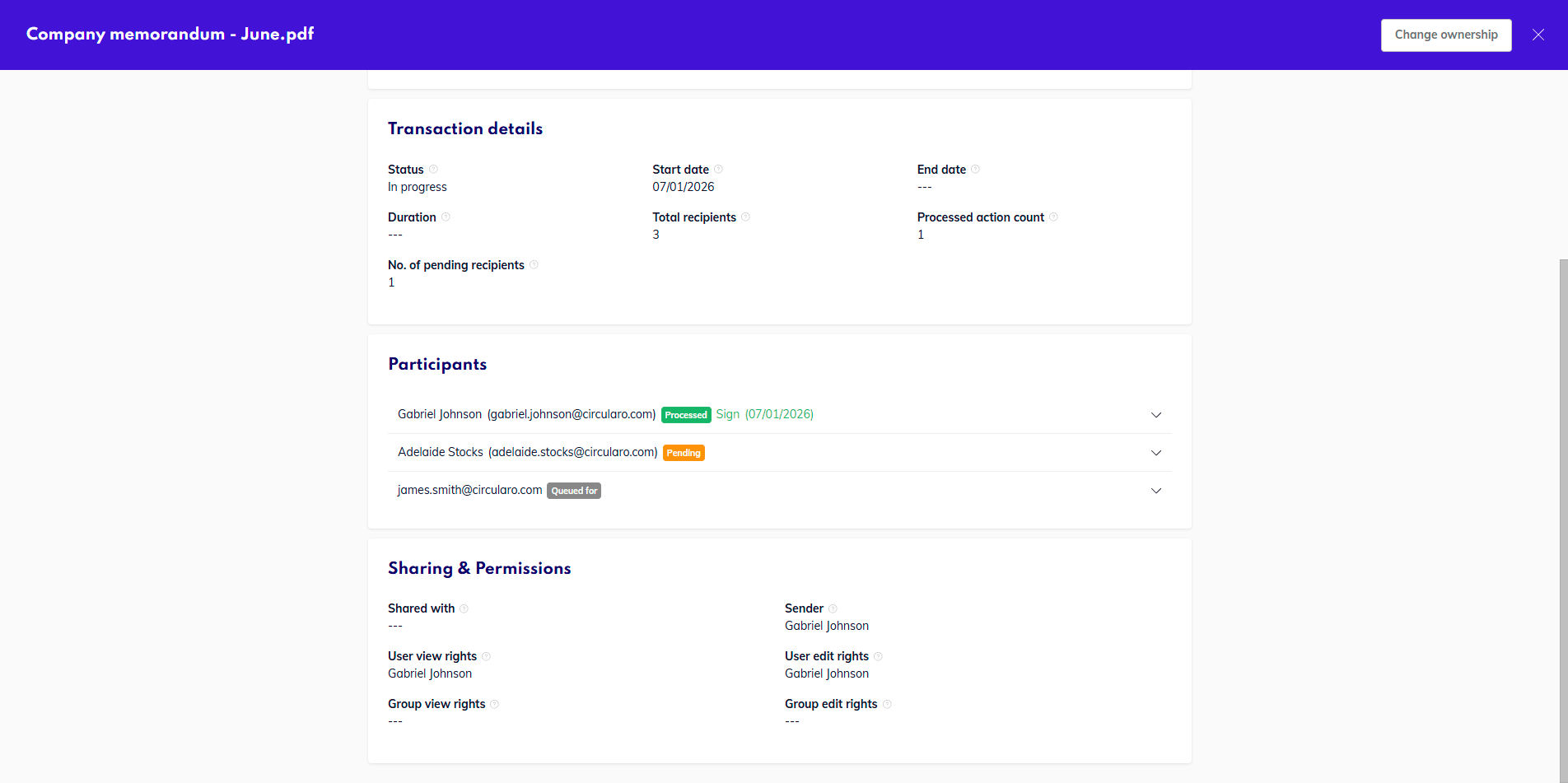
Sharing and Permissions
Controller
The user who has Controller permissions as granted in Administration, can access the Pending report (regardless of the purchase of Advanced report add-on) and see metadata preview of documents in that report.
The controller role is designed to help resolve bottlenecks and monitor transaction flows within the organization, and where necessary, help push stuck documents. This is possible by granting the controller this view and the ability to Change ownership of documents - either to himself, where he can then send reminders or edit recipients, or to someone else, who will be able to manage the transaction.
Please keep in mind, that if the controller changes the ownership of documents to themselves, they will be able to see contents of the document as well.
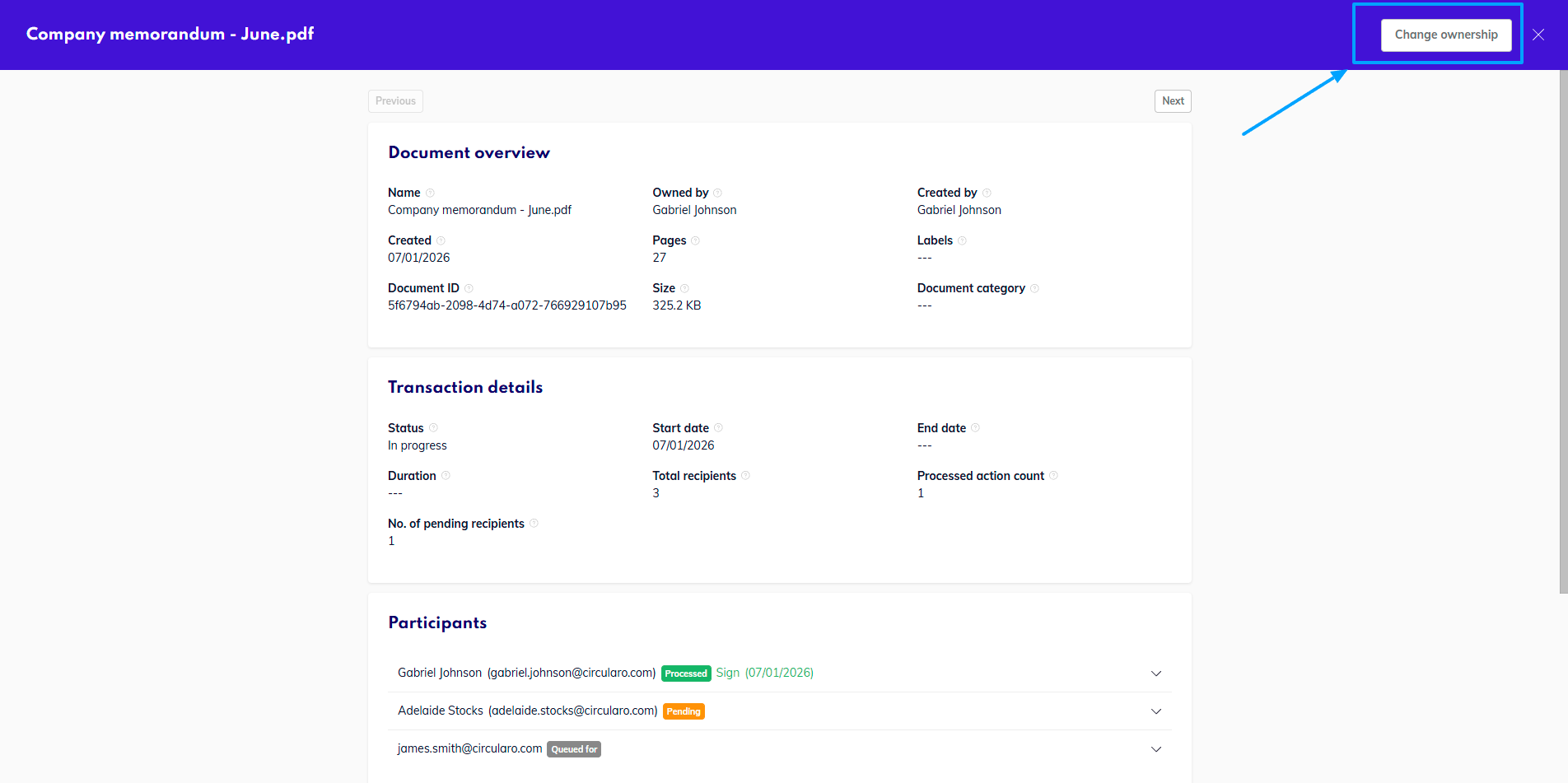
Change ownership option for controller