
Qualified Verification Service
This services provides greater verification/validation details about documents signed or sealed with a qualified certificate as recognized by eIDAS.
Here we offer an overview of the different reports offered by the verification, and what details they show about the signatures and certificates on a document.
Accessing the Qualified Verification Service
This service is accessed by uploading a PDF that contains a Qualified Certificate - either a seal or a signature. If a document contains this type of certificate, you will see an option to Show Qualified Validation Report. (Validation and Verification mean the same in this context)
Documents that do not contain this certificate will not have the option to show the report visible at all.
Inside the report are four tabs with different details, which are described below. You also have the option to download the report as XML format.
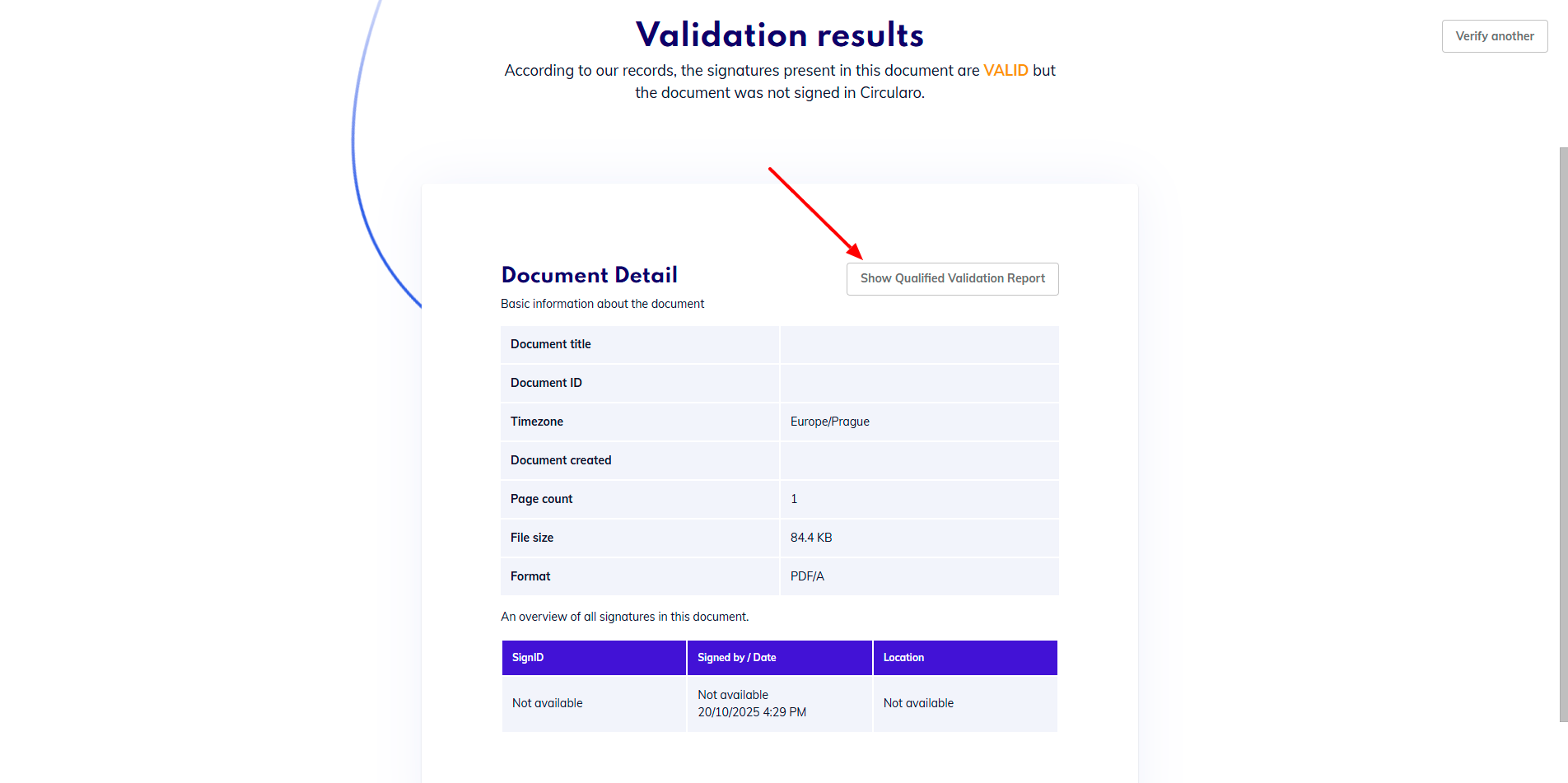
Access Qualified Validation Report
Simple report
This report contains basic information about the document, signatures and timestamps. As the validation itself is a very complex process, the simple report is meant to show the information in a format that’s easy to understand while still containing all the necessary details.
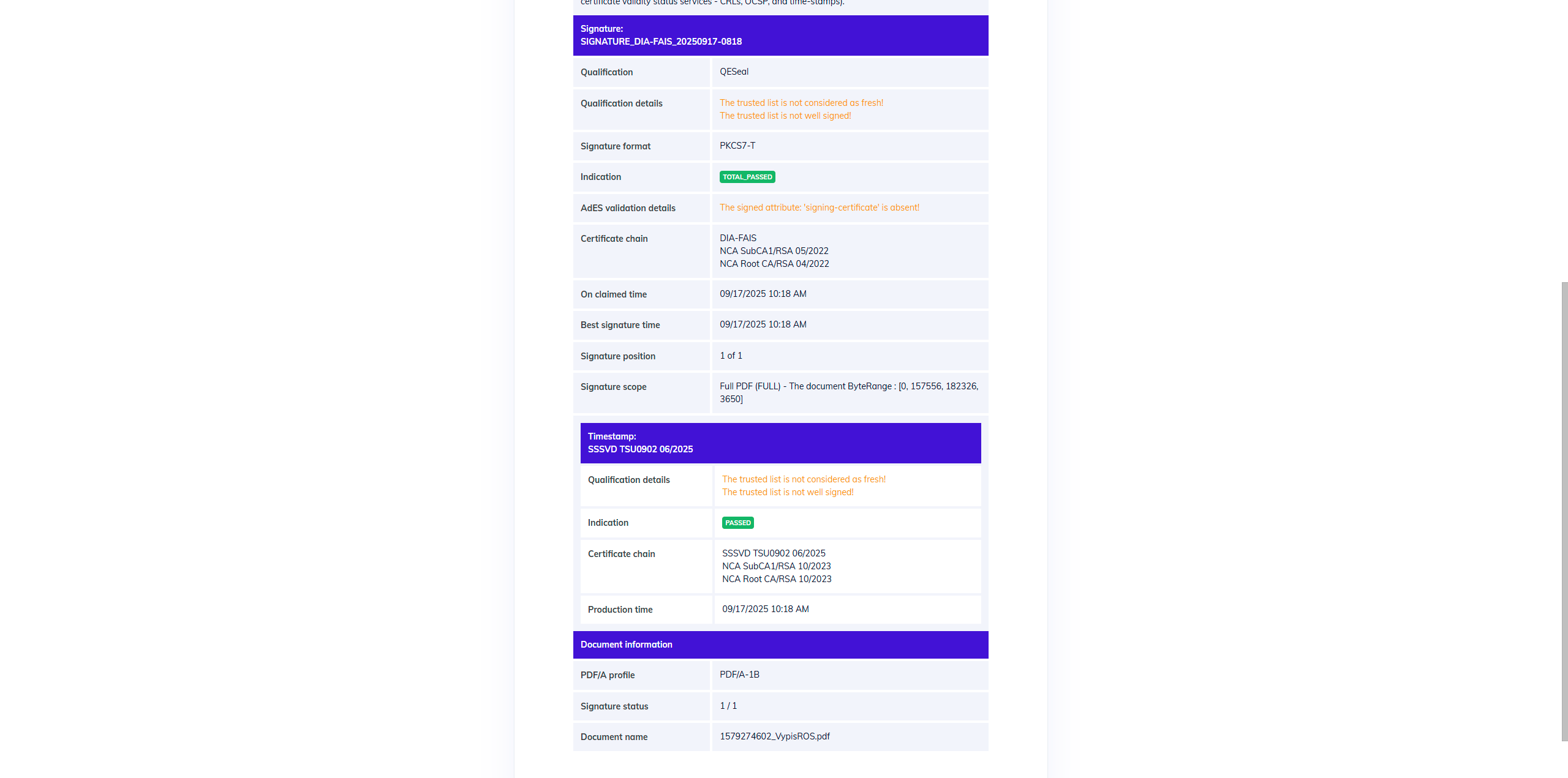
Simple report example
Detailed report
This report goes into absolute detail on the validation, and shows all of the steps performed during the validation as defined in the ETSI.
Depending on the number of signatures and seals, this report can be very long.
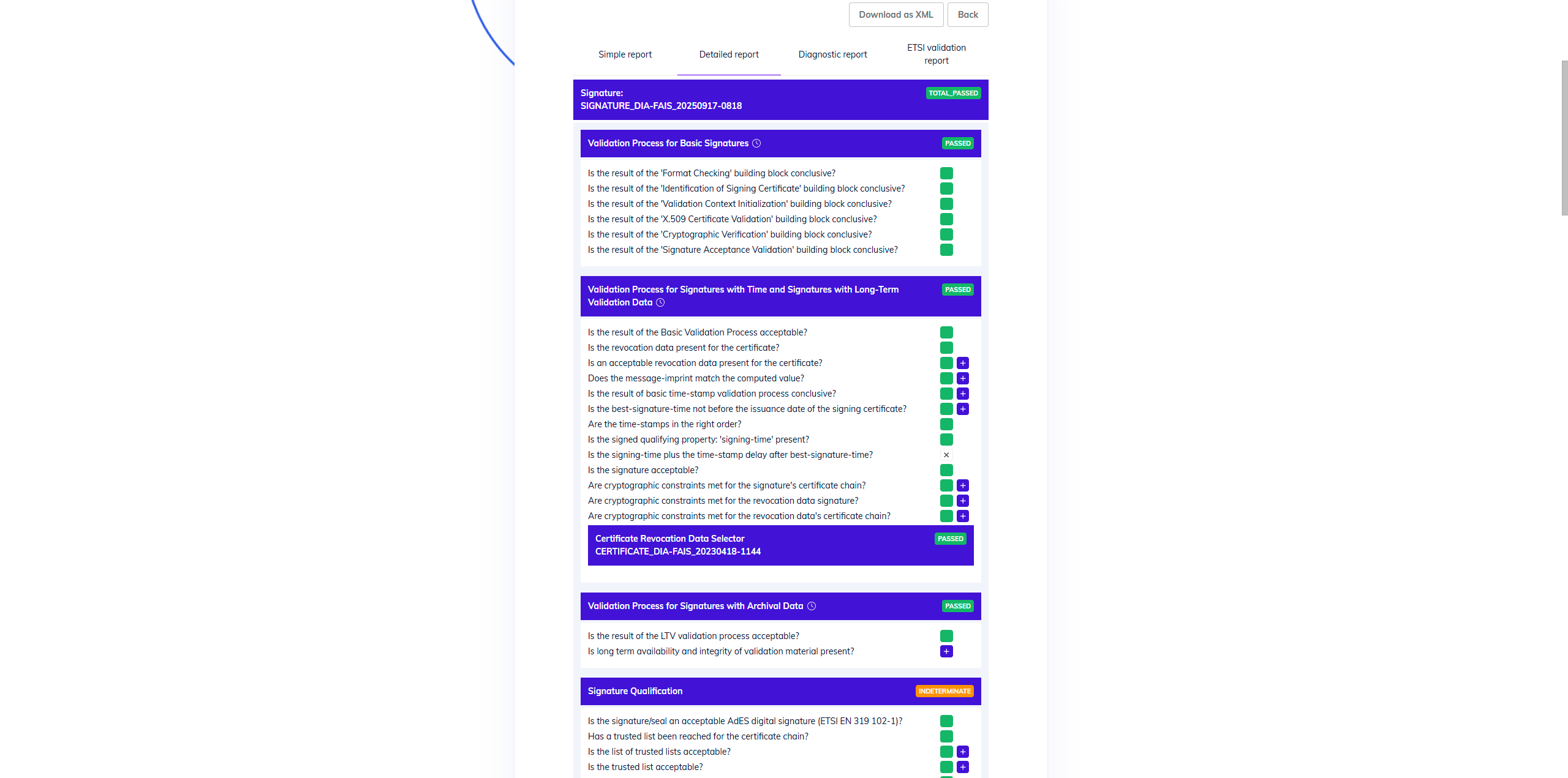
Detailed report example
Diagnostic report
This report contains all the data constructed from the information contained in the signatures themselves. This data is what the DSS uses to validate a signature and create a validation report.
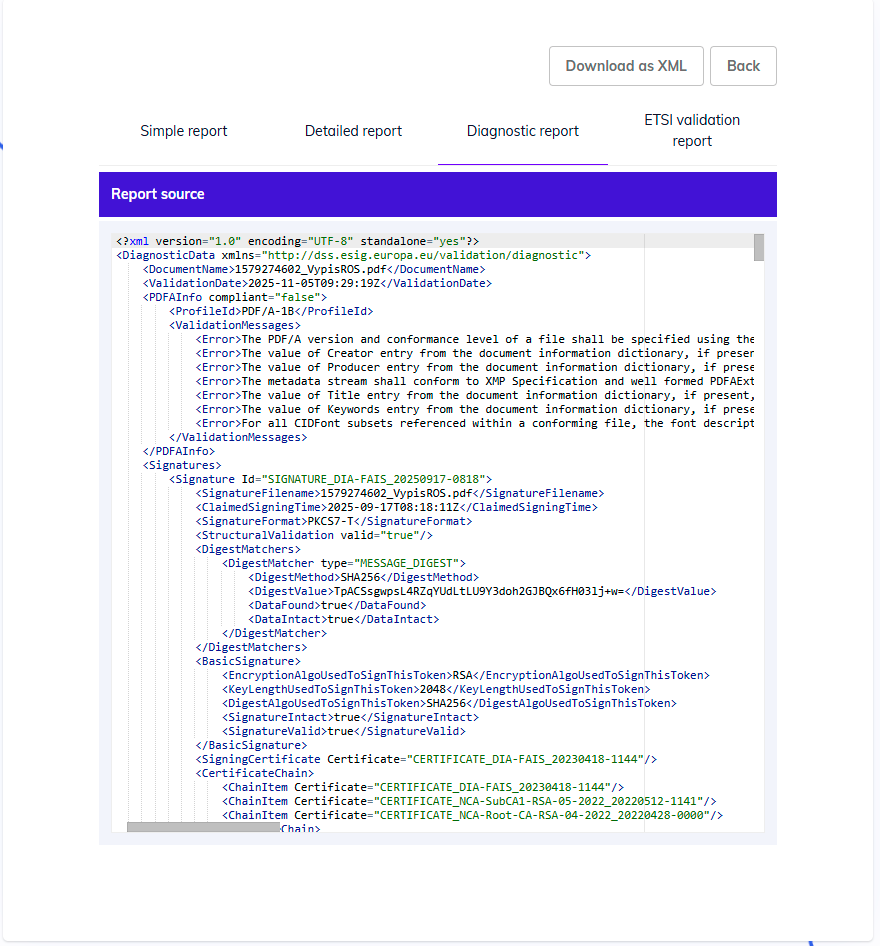
Diagnostic data
ETSI validation report
This report shows a full XML of the report, and the implementation of the validation policy. It includes the original validation input data, the applied validation policy, as well as the validation result of one or more signature(s) and their constraints.
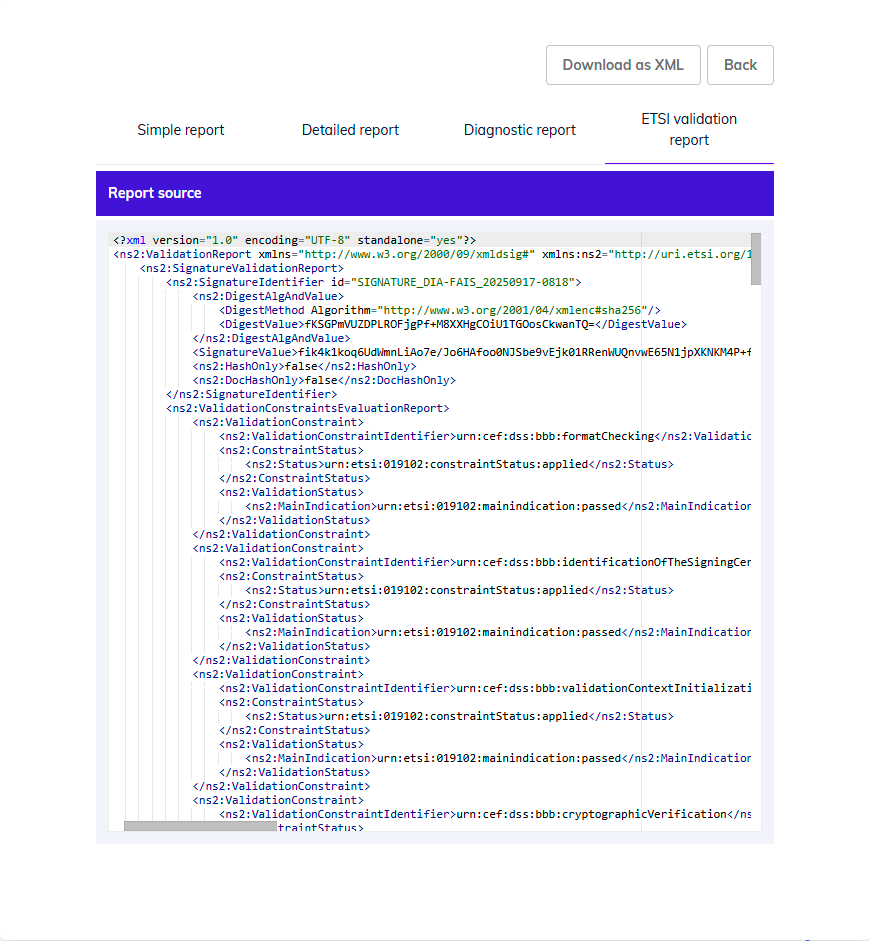
ETSI validation report example