
Login to mobile app
When you are logging into the app, you might at first encounter a small difficulty - you need to know the region where your organization is hosted.
The options are MENA, KSA and APP. Usually, anyone from Europe or Qatar is on APP, customers from Saudi Arabia are on KSA, and anyone else from the Gulf is in the MENA region.
If you are still having difficulties with login, check the URL address of your account when on desktop. Your organization may have a custom domain from which you access your account.
To ensure your login is successful, here is a guide on how to set the domain in the app.
Click on Change region at the bottom of the screen.
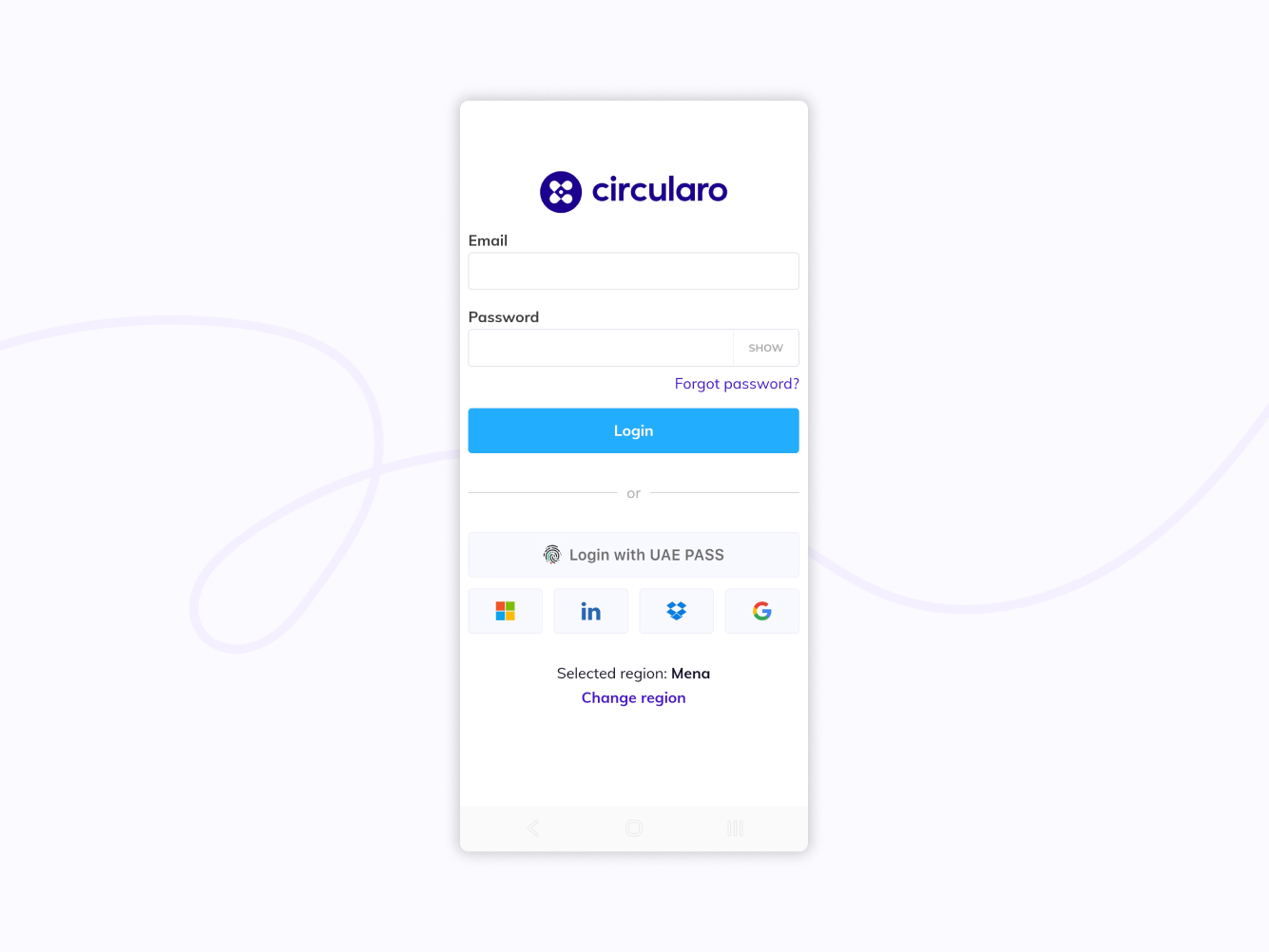
Change region
Under Region select Custom URL address.
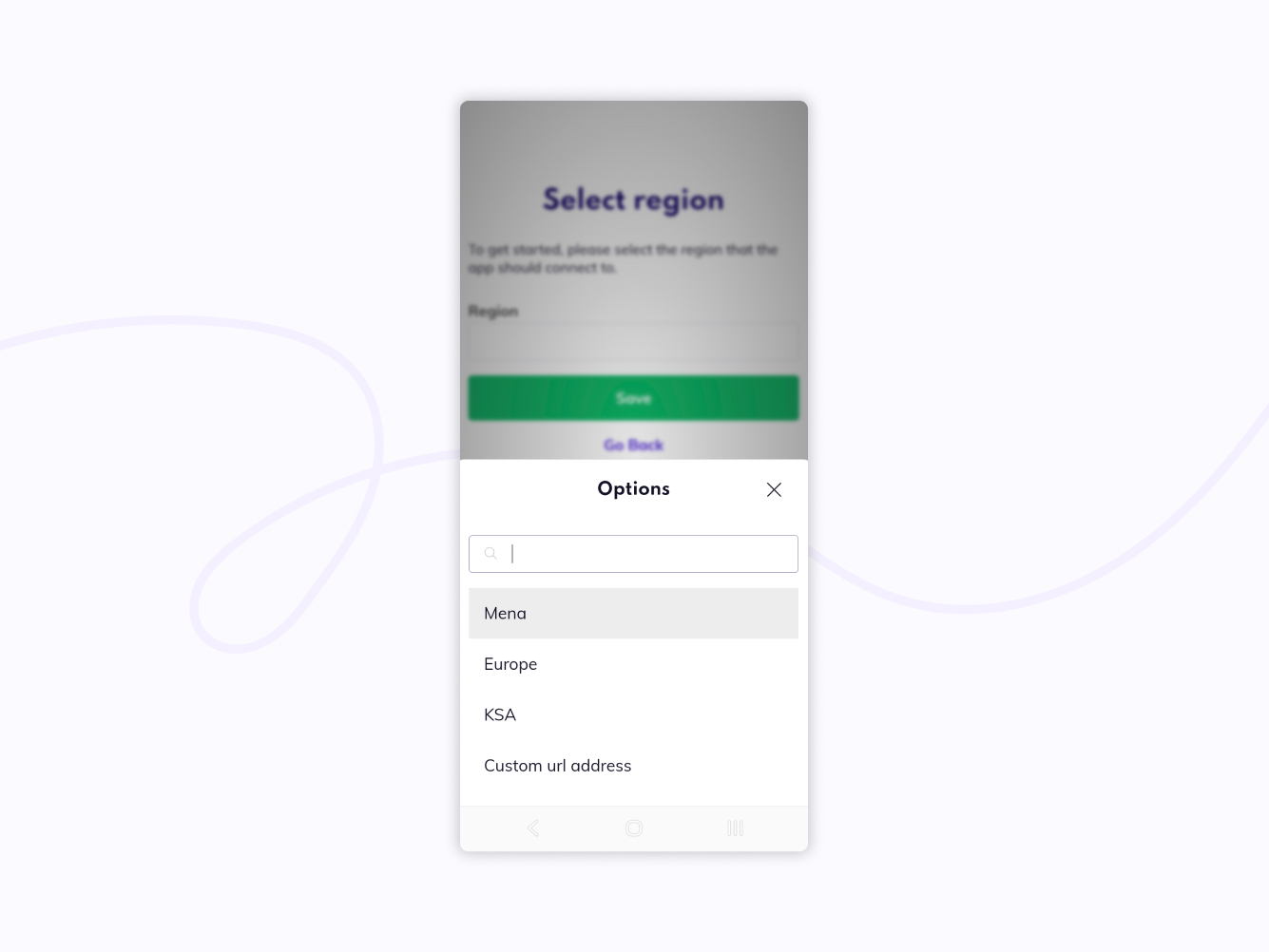
Custom URL address
Fill out the address you can see in your desktop browser, or ask your admin what the correct URL address is.
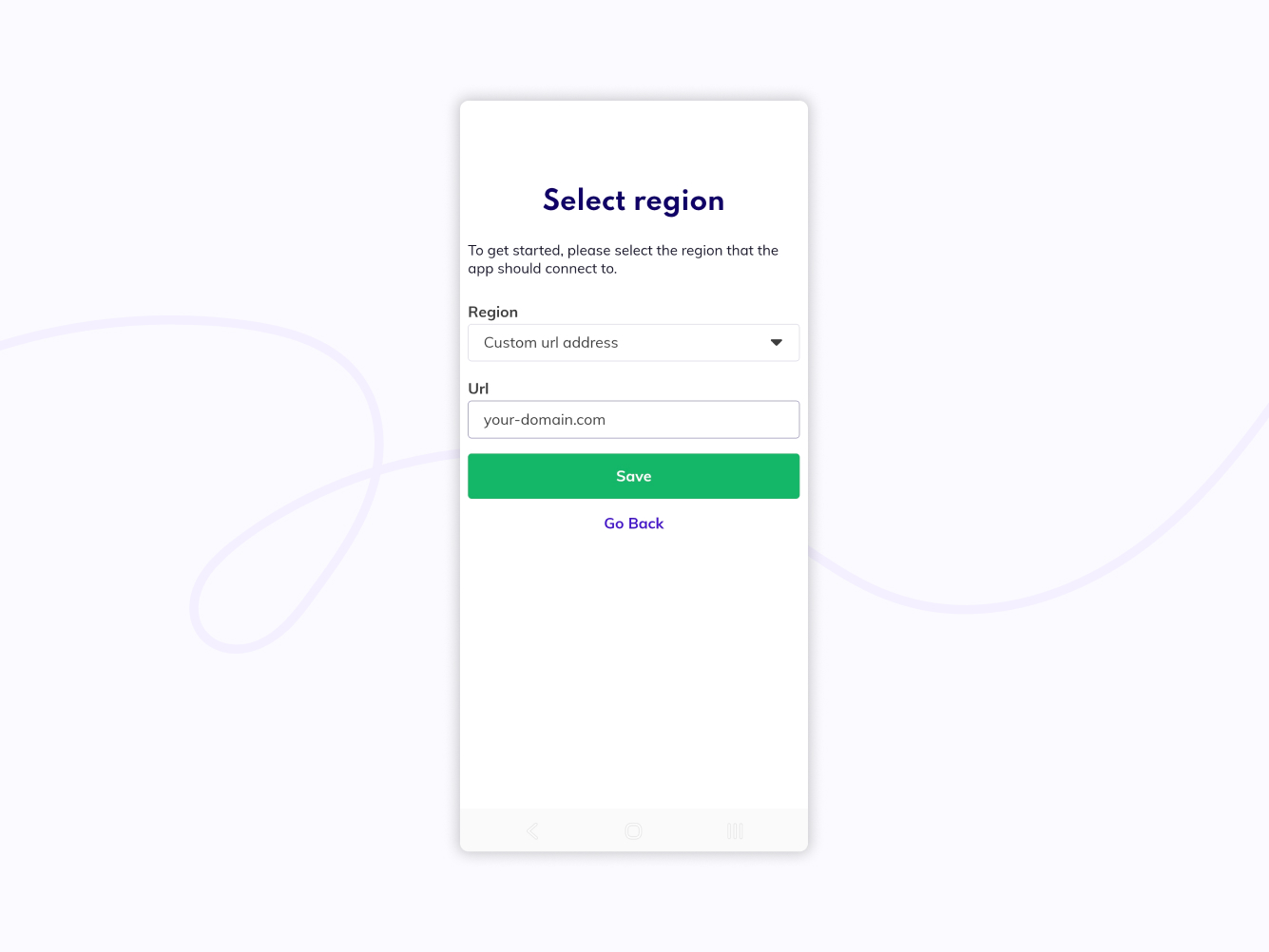
Fill out custom URL
Click Save.
If your organization also has custom branding, the login screen will now also have the branding of your organization.