
How to: Setting up SAML
Configuring SAML to use for user login can be a slightly challenging task. This page describes all the necessary steps from the client’s side.
Prerequisites
The final custom domain must be configured
Circularo application needs to be registered in client’s AD
Registering the application in client’s AD
Most client utilize the MS Entra ID (formerly Azure Active Directory):
Sign in to the Azure Portal
Open the Azure Portal and log in with your credentials.
Access MS Entra ID
From the left-hand menu, select Microsoft Entra ID.
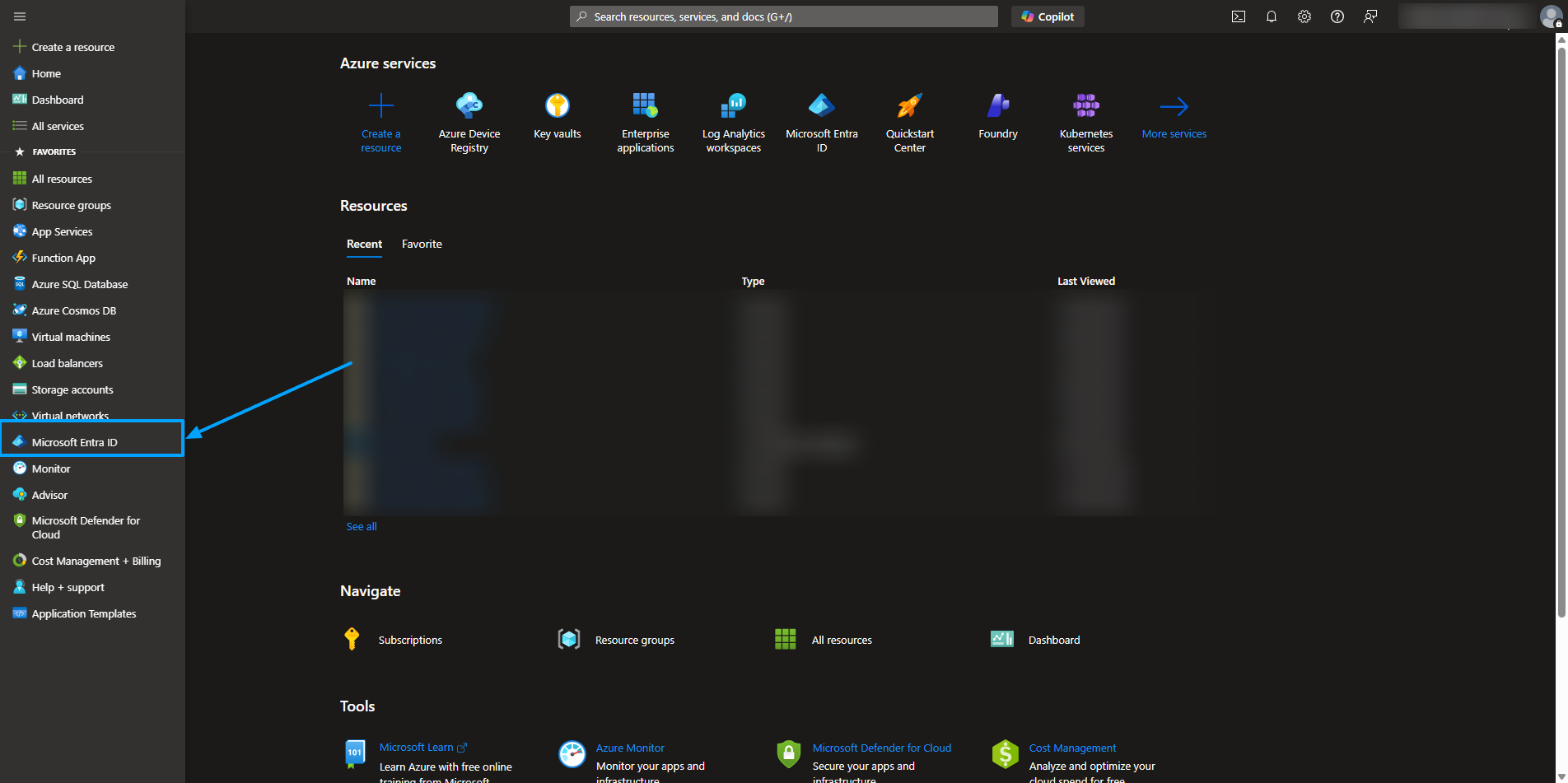
Select Microsoft Entra ID
Create a New Application
Navigate to Enterprise applications.
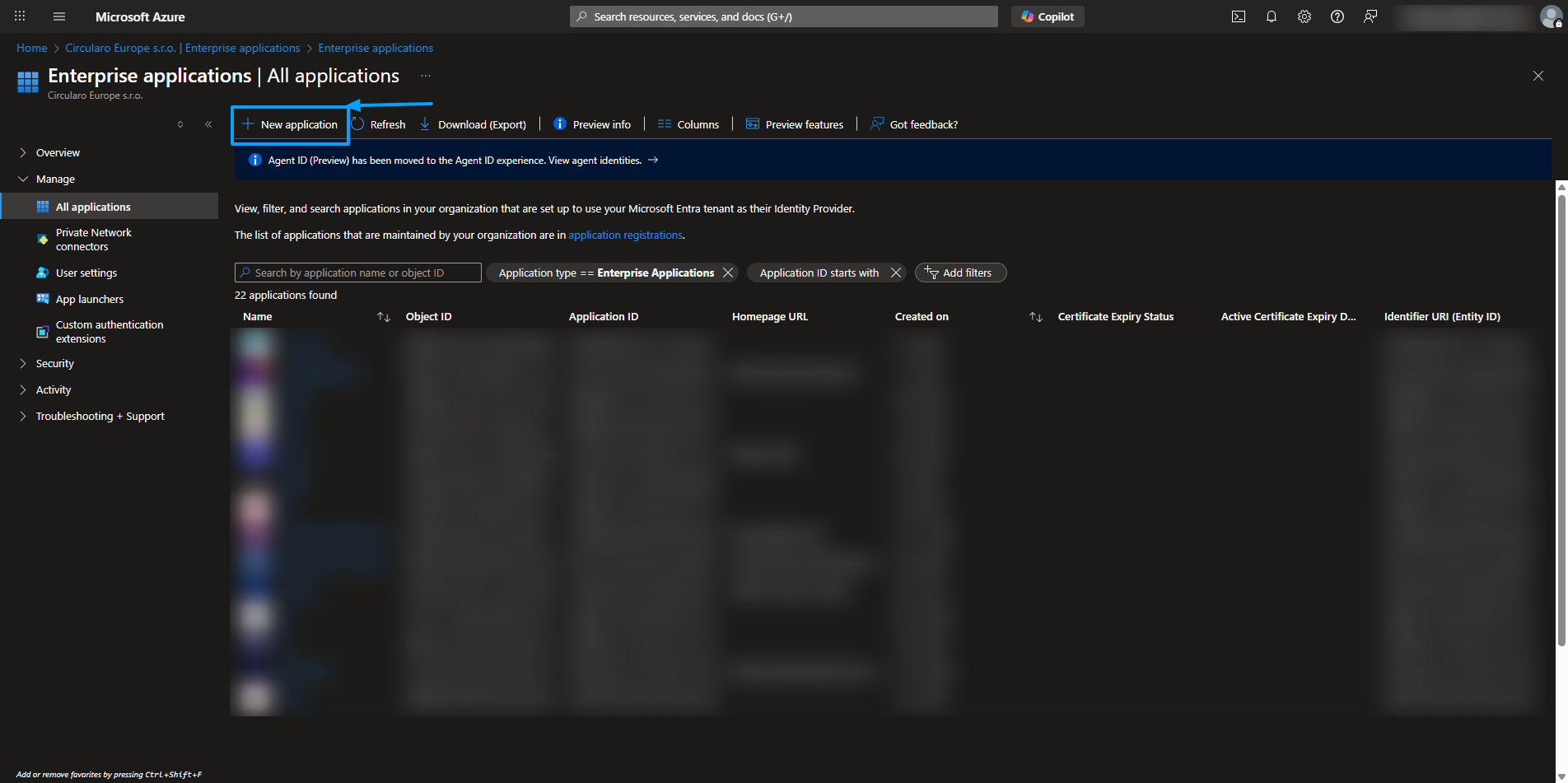
New application
b. Click + New application and select Create your own application.
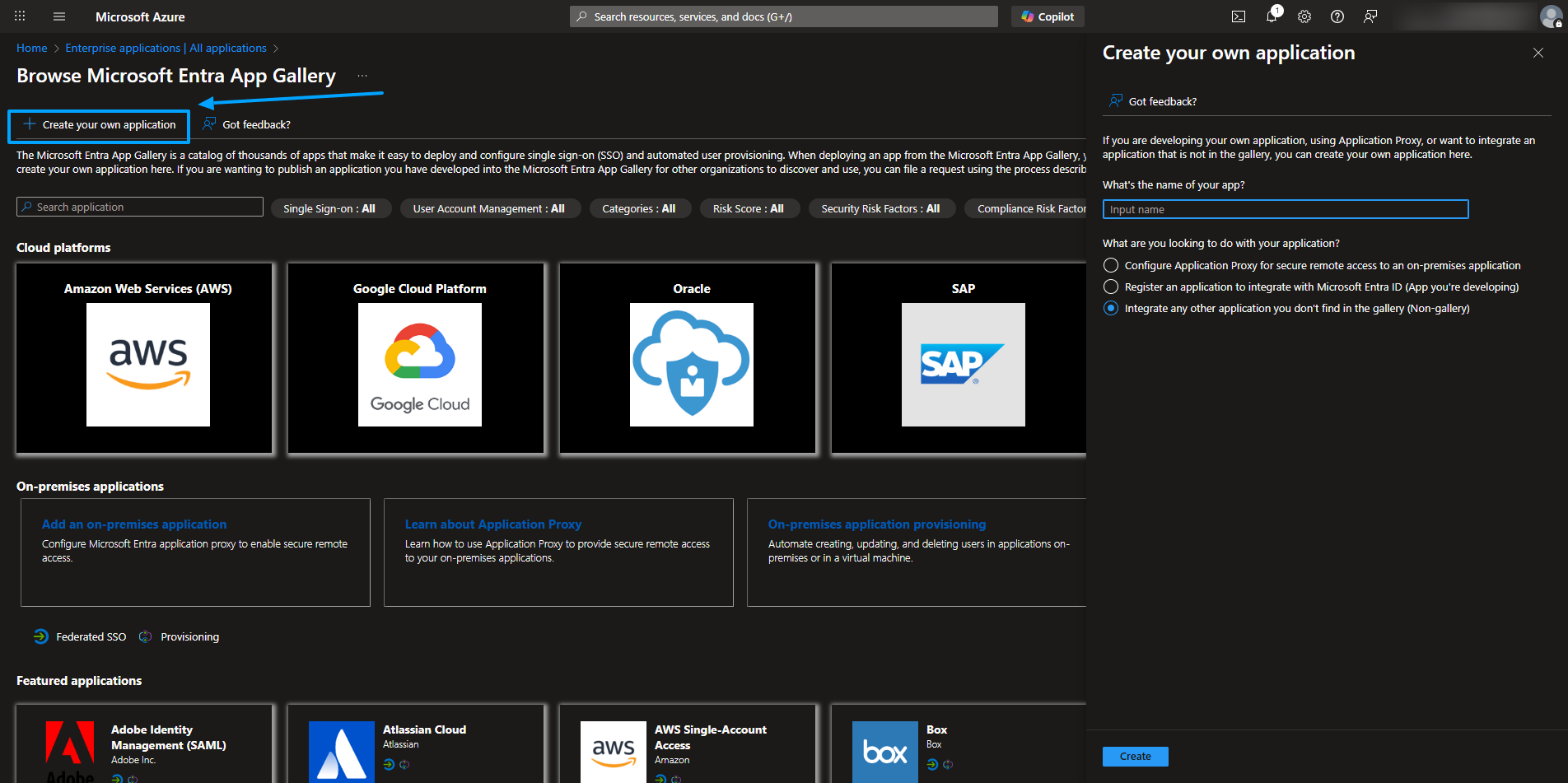
Create your own application
c. Enter a name for the application and proceed to register it as a custom-built app.
Configure the Application
a. Upload the configuration XML file provided by the Circularo team.
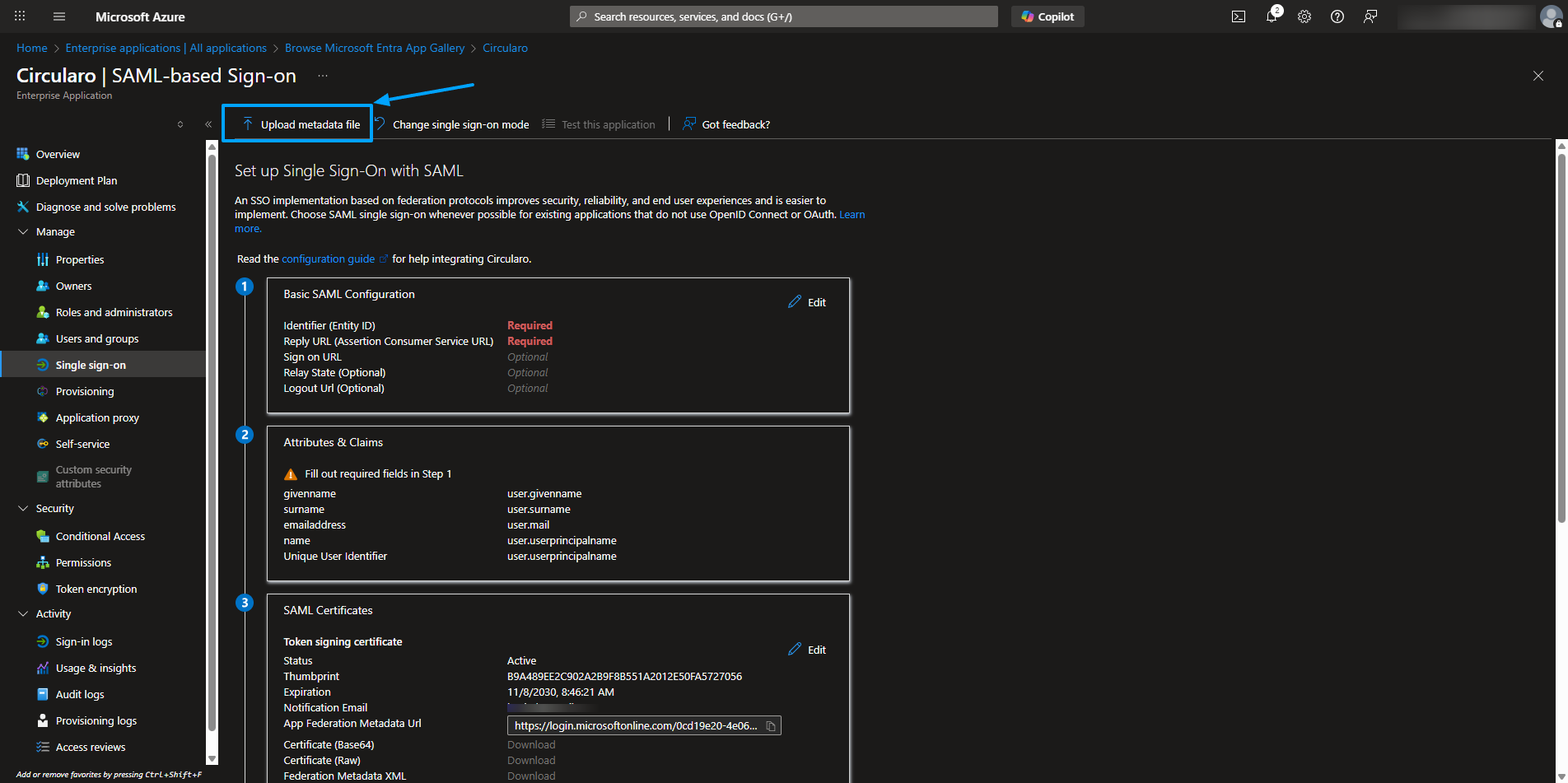
Upload metadata (XML) file
b. Set up Single Sign-On (SSO) with SAML - the Identifier and Reply URL at minimum.
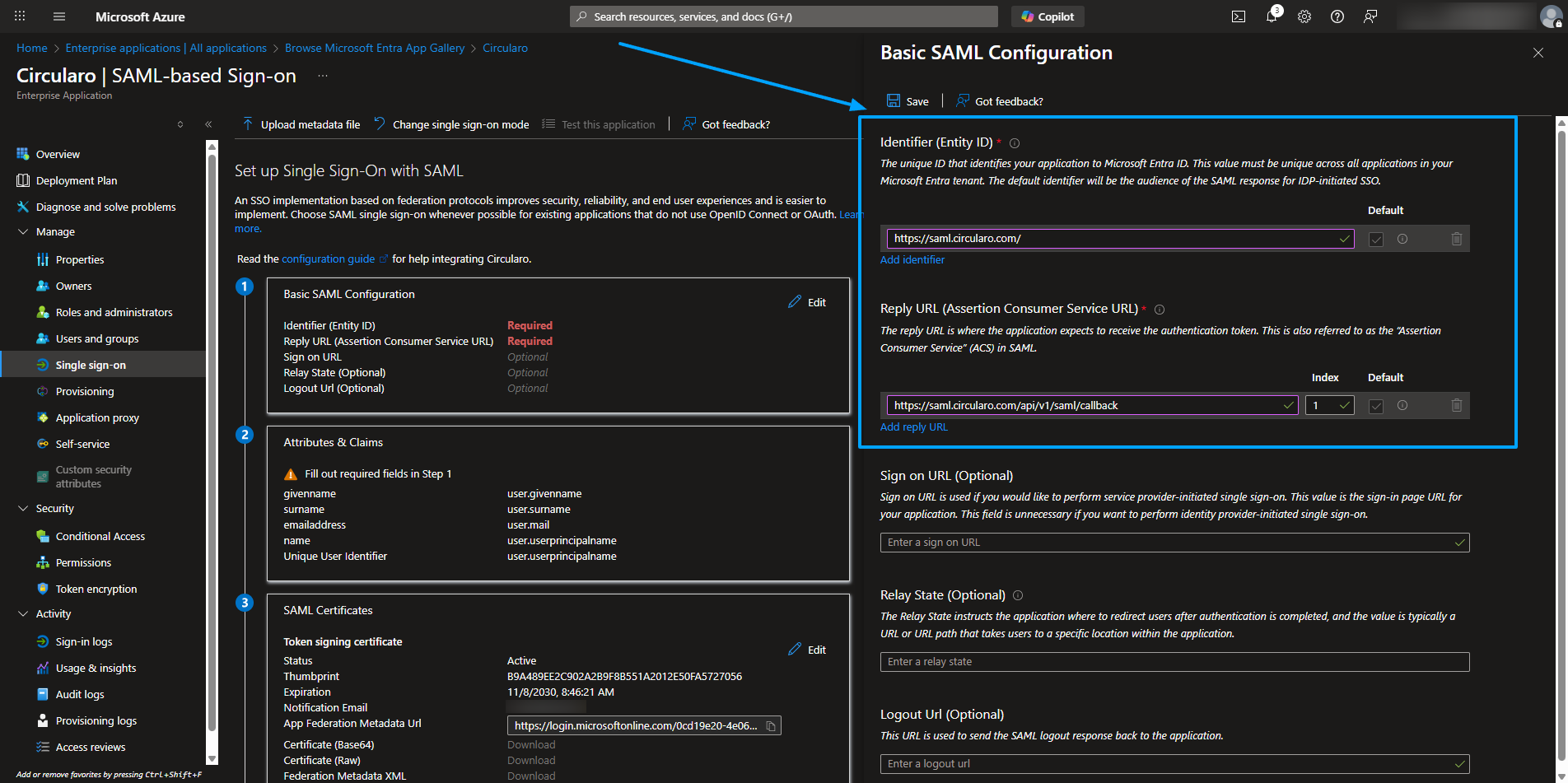
Set the SAML configuration
Locate the Federation Metadata Document
Go to the Set up Single Sign-On with SAML section.
Find the Federation Metadata XML link.
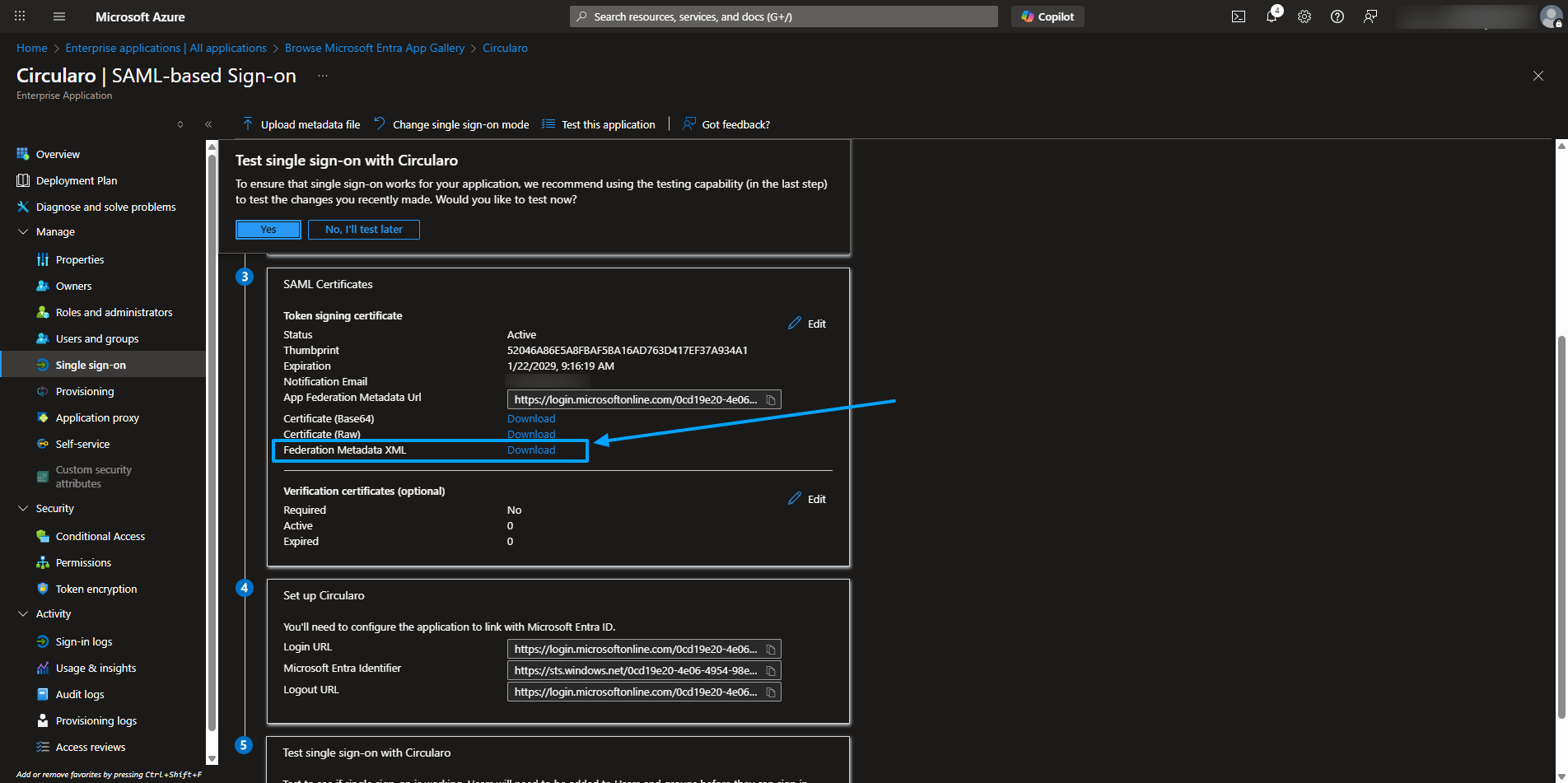
Federation Metadata XML link
Download the Metadata File
Click the Federation Metadata XML link to open it in your browser.
Save the file to your device (e.g., right-click and choose Save As).
Send the file to the Circularo team.
Once we receive the file from you, we will finish the set up from our side.
For other AD systems the configuration should be similar but we currently unfortunately don’t have any experience with these.